Can anyone please make a video about how to use rhubarb for lip sync in synfig? I don’t have any idea. Please someone help me!

Does this help you?
Thank you. It helps but still so complicated for me. I wish there is a video about it.
1 Like
thank you so much my friend.
Great, @Bala !
But you don’t have to “Import TSV” and copy and paste.
You can Convert the Switch Group parameter called “Active Layer Name” to “Animation From File”.
Then, you select the TSV or XML lipsync file.
Thanks so much. I look forward to getting this to work.
Copy this script and save it as .bat file in the Rhubarb folder and then just click and run it. You’ll be asked to drag and drop the sound file. Make sure the audio file is in .wav format. Rhubarb, after processing the audio file will output .tsv file. You can use this .tsv file in Synfig Studio just like Papagayo .pgo file.
@echo off
set /p audio_file="Drag and drop the audio file here: "
set output_file=%audio_file:.=%
rhubarb.exe %audio_file% -r phonetic -f tsv --datFrameRate 24 -o "%~dp1%output_file%.tsv"
pause
A year ago I was commonly making videos lip syncing entirely with synfig and rhubarb account and I am willing to make a video and share code with exactly how I did it.
It actually is pretty easy once you get used to a lot of squirrely code that is different between the windows and Linux versions
I just tried to post something on locals but it wasn’t public enough but I will try to find something to post here to show you that I made entirely with rhubarb and lip sync game with the synfig. No typing, entirely just using a conversion from wave files into eight phoneme shaped mouth whatever thingies much like what the parrot does in a much more complicated way
You may have to join locals, and look for me I am Woody m and I have maybe a channel called synfiguring that I fancied might be a place where I could show some things because I like the video interface if nothing else
I took all my stuff down from a lot of places for a lot of reasons, but I started doing some work toward making an educational rhubarb synfig video but got sidetracked a year ago. I think I had a lot of stuff almost ready to go if I just crack open a few laptops
There are a couple of graphical interfaces available now.
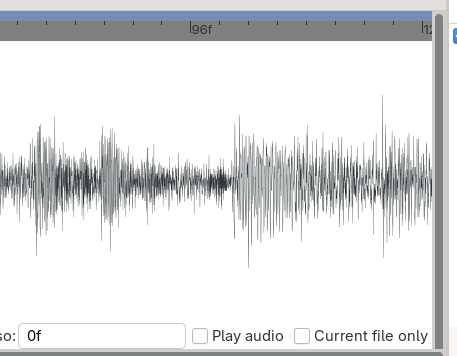
This one is nice, you can preview the lip-sync with the audio.
Still no way to easily edit the resulting file. You can bake the string file and play around in Synfig but that’s not as flexible as old Papagayo.
For me the pre-release Papagayo 1.6.6.0 which should have Rhubarb implemented, doesn’t manage to produce a good .pgo file, and crashes when trying to use Rhubarb anyway. So using Rhubarb with this GUI is the easiest way to do an automatic lip-sync.
I only knew about papagayo… now I will use Rubharb 
With the help of our AI overlords, I made this - rhubarb_to_pgo.py so you can have a nice papagoyo file to play with after the rhubarb phoneme recognition.
import sys
import os

# Map Rhubarb 9-shape system to Papagayo 10-shape system
RHUBARB_TO_PAPAGAYO = {
    "A": "MBP",
    "B": "etc",
    "C": "E",
    "D": "AI",
    "E": "O",
    "F": "U",
    "G": "FV",
    "H": "L",
    "X": "rest"
}

def parse_rhubarb(file_path):
    """Reads standard Rhubarb output (start_time mouth_shape)"""
    entries = []
    with open(file_path, "r", encoding="utf-8") as f:
        for line in f:
            line = line.strip()
            if not line:
                continue
            parts = line.split()
            if len(parts) >= 2:
                time_sec = float(parts[0])
                shape = parts[1].upper()
                entries.append((time_sec, shape))
    return entries

def chunk_list(data, chunk_size):
    """Yields successive chunks of size chunk_size from data."""
    for i in range(0, len(data), chunk_size):
        yield data[i:i + chunk_size]

def convert_rhubarb_to_pgo(rhubarb_file, output_pgo, fps=30, audio_name="audio.wav", max_phonemes_per_word=5):
    entries = parse_rhubarb(rhubarb_file)
    if not entries:
        print("No valid entries found in Rhubarb file.")
        return

    # Convert seconds to frame numbers (1-indexed for Papagayo)
    frames_data = []
    for time_sec, shape in entries:
        frame = int(round(time_sec * fps)) + 1
        phoneme = RHUBARB_TO_PAPAGAYO.get(shape, "rest")
        frames_data.append((frame, phoneme, shape))

    total_frames = frames_data[-1][0]

    # Step 1: Group raw phonemes into phrase chunks based on 'X' (rest) shapes
    phrase_phoneme_groups = []
    current_phrase_phonemes = []

    for item in frames_data:
        frame, phoneme, original_shape = item
        current_phrase_phonemes.append((frame, phoneme))

        # If we hit an 'X' shape, end the phrase here
        if original_shape == "X":
            phrase_phoneme_groups.append(current_phrase_phonemes)
            current_phrase_phonemes = []

    # Include any trailing phonemes if the file doesn't end on an 'X'
    if current_phrase_phonemes:
        phrase_phoneme_groups.append(current_phrase_phonemes)

    # Step 2: Build Phrase and Word hierarchy
    phrases = []
    global_word_counter = 1

    for p_idx, p_phonemes in enumerate(phrase_phoneme_groups, 1):
        # Chunk phrase's phonemes into words of up to 5 phonemes each
        word_chunks = list(chunk_list(p_phonemes, max_phonemes_per_word))
        phrase_words = []

        for chunk in word_chunks:
            phrase_words.append({
                "name": f"Word_{global_word_counter}",
                "start": chunk[0][0],
                "end": chunk[-1][0],
                "phonemes": chunk
            })
            global_word_counter += 1

        phrases.append({
            "name": f"Phrase_{p_idx}",
            "start": p_phonemes[0][0],
            "end": p_phonemes[-1][0],
            "words": phrase_words
        })

    # Header Construction
    phrase_summary = " | ".join([p["name"] for p in phrases]) + "||"
    lines = [
        "lipsync version 1",
        f"{audio_name}",
        f"{fps}",
        f"{total_frames}",
        "1",                       # 1 Voice
        "\tVoice 1",
        f"\t{phrase_summary}",
        f"{len(phrases)}"          # Total phrases count
    ]

    # Build Phrases
    for phrase in phrases:
        lines.append(f"\t\t{phrase['name']}")
        lines.append(f"\t\t{phrase['start']}")
        lines.append(f"\t\t{phrase['end']}")
        lines.append(f"\t\t{len(phrase['words'])}")

        # Build Words inside the Phrase
        for word in phrase["words"]:
            lines.append(f"\t\t\t{word['name']} {word['start']} {word['end']} {len(word['phonemes'])}")

            # Build Phonemes inside the Word
            for frame, phoneme in word["phonemes"]:
                lines.append(f"\t\t\t\t{frame} {phoneme}")

    # Write to file
    with open(output_pgo, "w", encoding="utf-8") as f:
        f.write("\n".join(lines) + "\n")

    print(f"Done! Created '{output_pgo}' with {len(phrases)} phrases split strictly on 'X' shapes.")

if __name__ == "__main__":
    if len(sys.argv) < 2:
        print("Usage: python rhubarb_to_pgo.py <rhubarb_output.txt> [fps] [audio_name]")
        sys.exit(1)

    input_file = sys.argv[1]
    fps = int(sys.argv[2]) if len(sys.argv) > 2 else 30
    audio_name = sys.argv[3] if len(sys.argv) > 3 else "audio.wav"

    base_name = os.path.splitext(input_file)[0]
    output_pgo = f"{base_name}.pgo"

    convert_rhubarb_to_pgo(input_file, output_pgo, fps, audio_name)
Rhubarb saves its phonemes A to X so we have to convert them like this.
A - MBP
B - etc
C - E
D - AI
E - O
F - U
G - FV
H - L
X - rest
Rhubarb saves using a second timestamp while Papagayo uses frames so we do a - time_sec * fps.
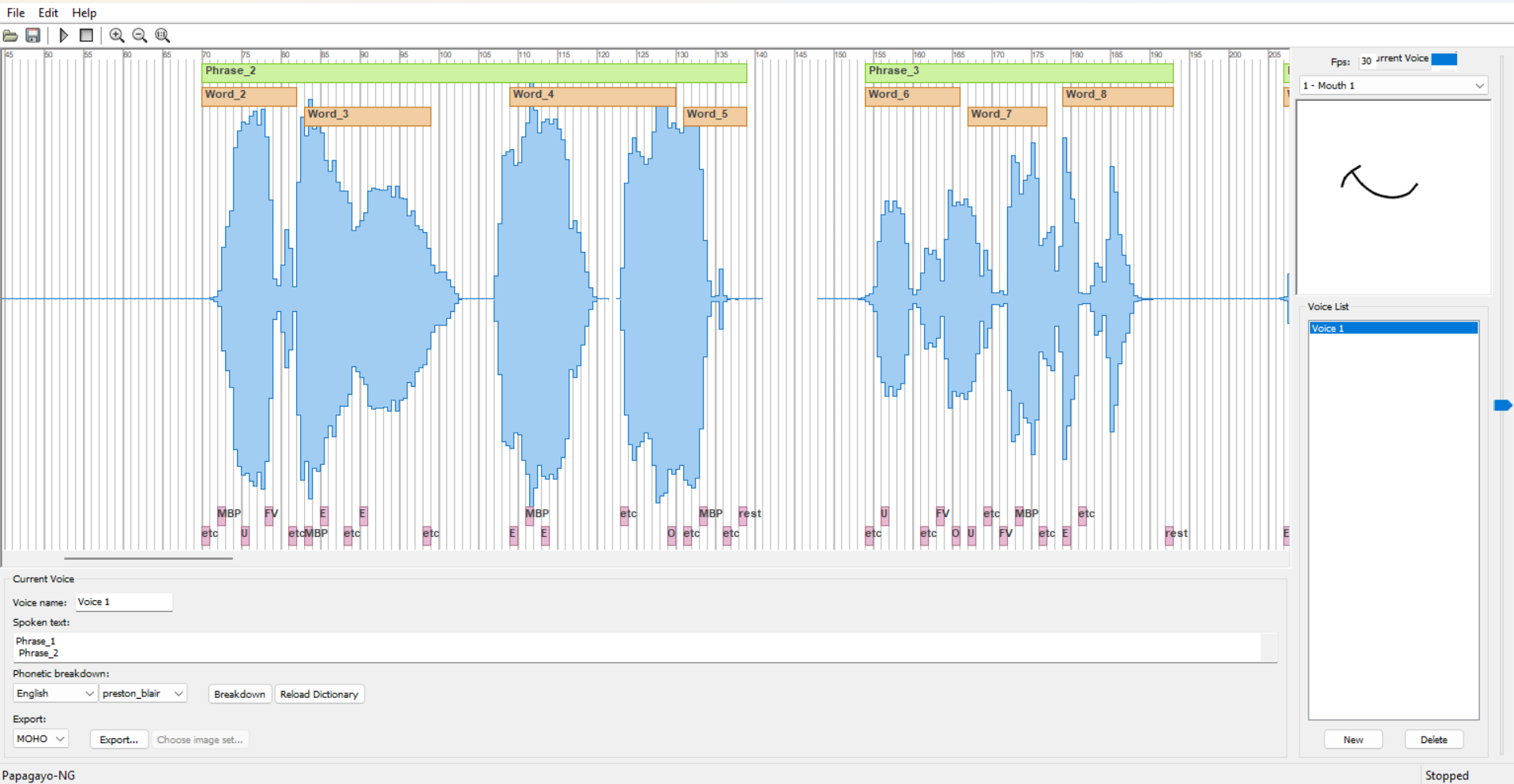
The tricky part is Papagayo likes to have words and sentences so the script makes a sentence every time the X-rest phoneme shows up, and a word every 5 phonemes (apparently the average number of phonemes for written words in english and french is 7-sh, and for spoken words about 3-sh… I just picked 5 I am sure 3-4 would work as well). There’s probably a better solution to this but I just wanted a way to easily delete and move phonemes around.
And we up with something like this
To use it
- copy that code text into a text editor and save it as rhubarb_to_pgo.py
- put all the files in the same folder - the audio.wav, the output.tsv from Rhubarb, the python program rhubarb_to_pgo.py
- open a terminal (in windows right click on a folder and - Open in terminal)
- then write in the command>
python rhubarb_to_pgo.py output.tsv 30 audio.wav
→ output.tsv - you have to write the rhubarb file name
→ 30 - is the frame rate, you can put 24 etc
→ audio.wav - you have to write the name of file you are lip-syncing.
I think using Rhubarb to recognize phonemes and Papagayo to edit them is a good compromise, especially for non-english speech.
If anybody has a better grasp at how to make a Rhubarb to Papagayo converter, or an easier way to edit Rhubarb phonemes, please let me know  Heck maybe someone who is working on a GUI for Rhubarb can implement an editor.

Ouch.
What do you want in such visual software to edit?
The visual medium is essential. The waveform informs you where you should have phonemes. In Papagayo, I can click on a word, a sentence, a phoneme. or just randomly on a piece of waveform, and I can hear it and see if the assigned phonemes are correct. I might need to move, delete, replace the phoneme. Allosaurus and Rhubarb might get you 80% or 90% there, but you need the ability to edit the output.
Maybe somebody implements it in Synfig natively? XD