I did some tests and it seems to happen with shapes made from the rectangle tool, using the rounded corner bevel feature(no filter), and convert object to path.
1 - Open Inkscape.
2 - Select “Rectangle Tool”
3 - Make square/rectangle shape
4 - Bevel its corners(drag the ball shape control point on the left of the shape[not the filter])
5 - Save project.
6 - Import SVG file to Synfig Studio’s.
7- Move layer groups position in to visible canvas.
8 - Done.
Some Specs:
OS: Windows 10
Software version:
Synfig Studio 1.5.3
Inkscape 1.4.2
(IDK more to include, ask me if need.)
Files Tests:
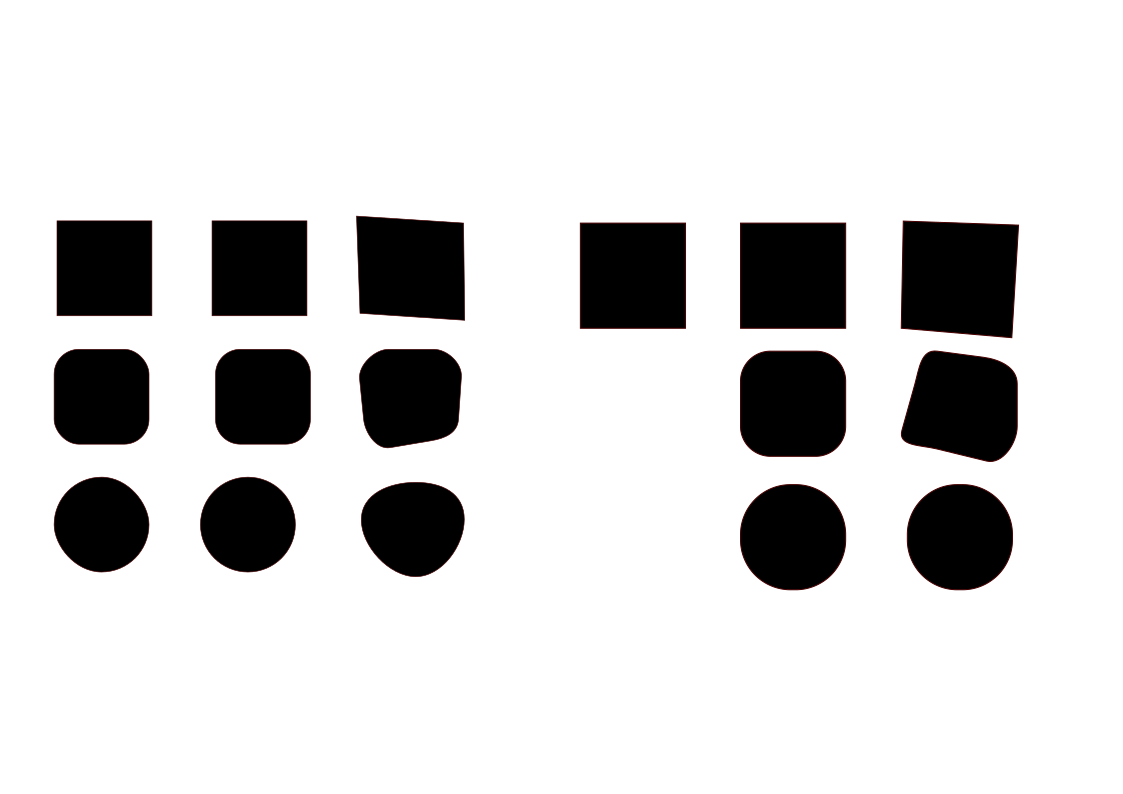
ShapeTest bug.sifz (14.0 KB)
My end(left side only):
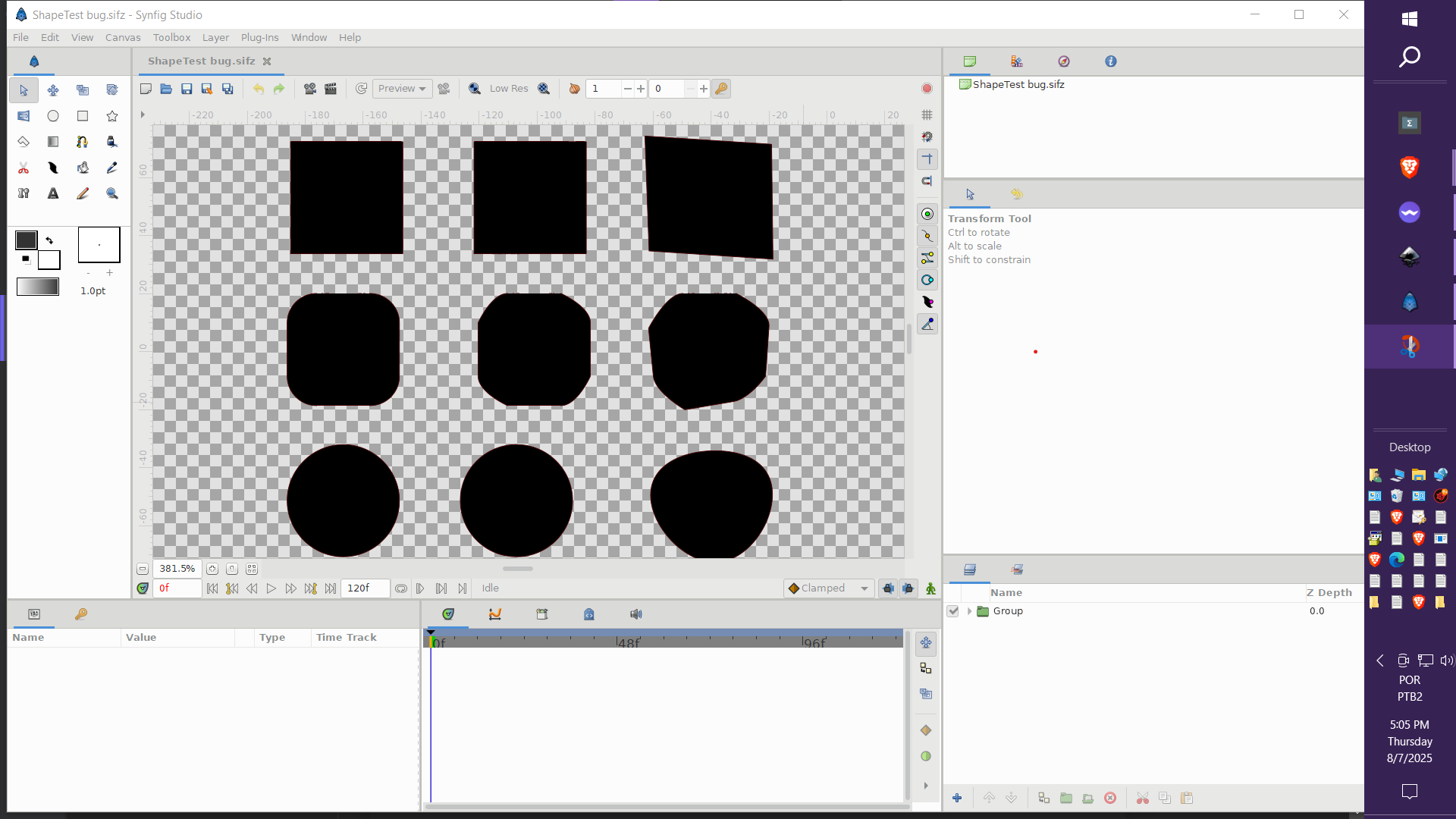
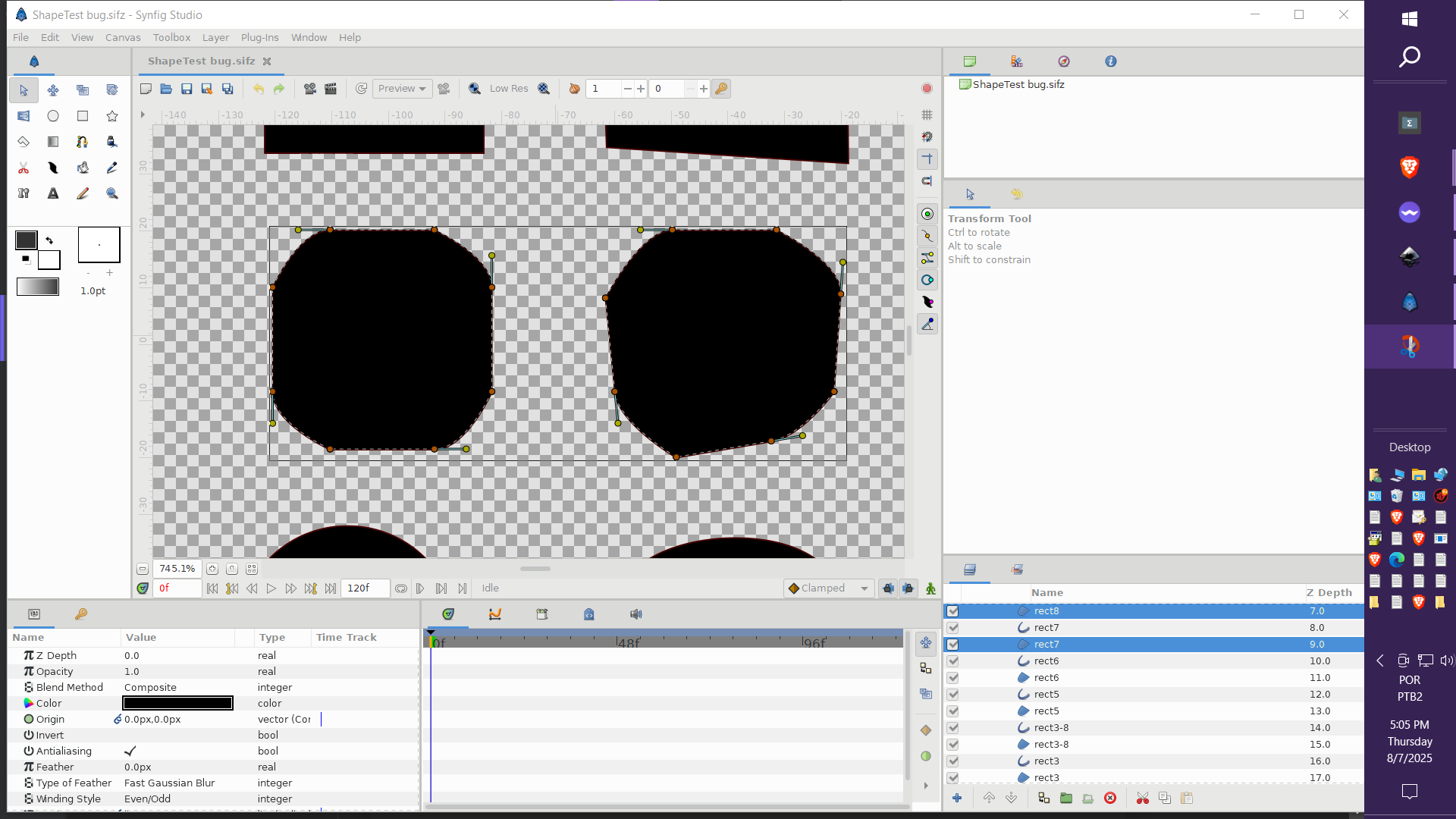
Hopefully this was comprehensible.

