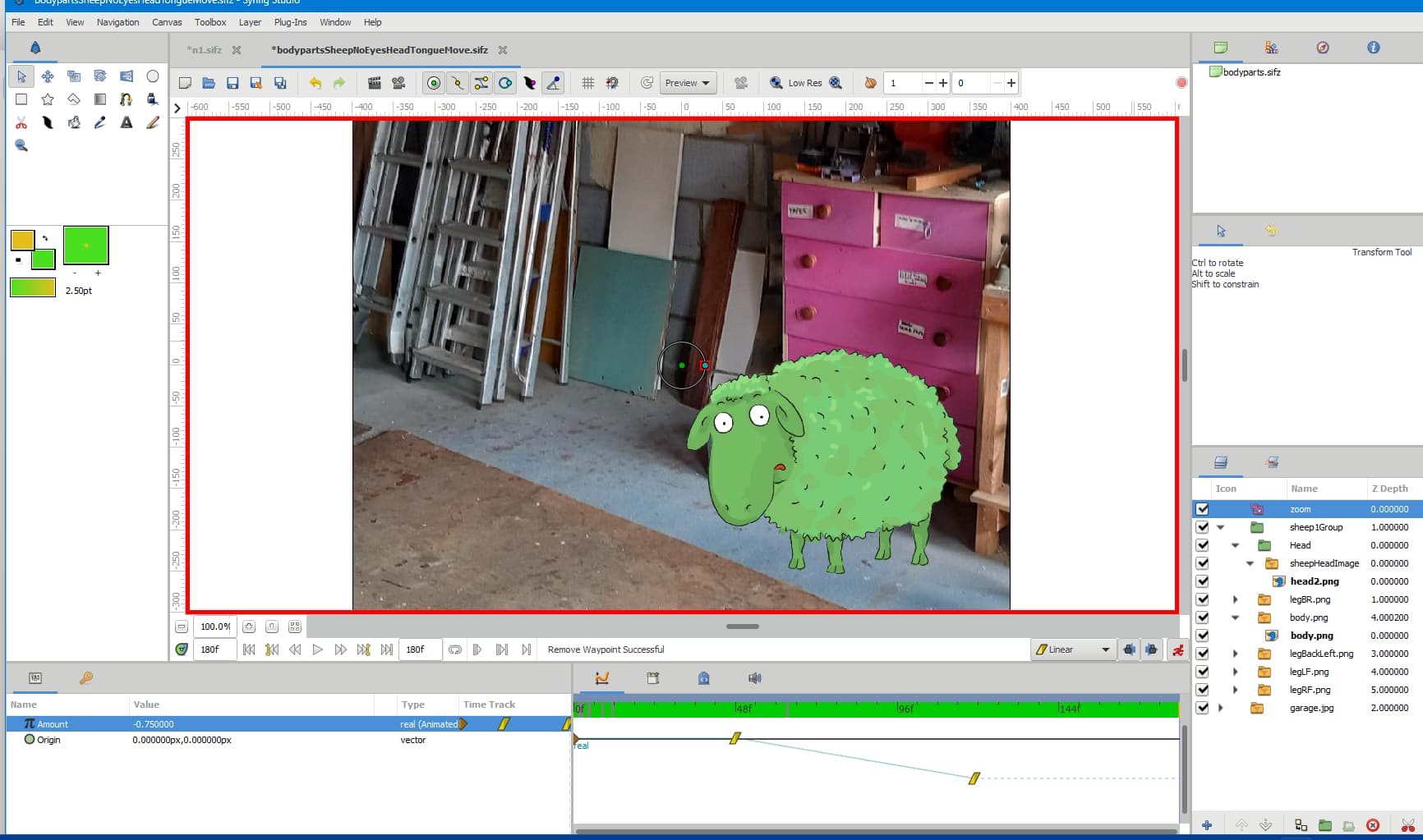
As you said, you animated the image of the garage separately.
Scale layer affect all the layers placed under itself (logarithmic way, see Scale Layer - Synfig Animation Studio ), at the same level and inside the same group.
Here, it affects sheep1Group and garage jpg (which is itself a group, containing the image)
I also notice that the only way I can see waypoints is to select the layer, then Keyframes, then parameters. Is this right?
Yes, the waypoints are displayed for the currently selected layer only.
If there are several parameters affected, they are all displayed in the Timetrack, temporal position only (also on TimeTrack column of the parameters)
If you want to see the variation of values of the waypoints, you need to select the parameter and display the Graphs tab (temporal position + value)
If I want to find out what I might have accidentally done, it looks like I have to interrogate every single layer (which, of course, I have done!)
Yes and no. With deduction, you can guess what is the origin of the error.
The scale layer affecting all the layers placed under it, if the garage is not “behaving” as expected, here is the error.
Either the Group, or the image itself.
Is there some other way to home in on my error?
Only with a bit of experience and logic.
Once you understand how Groups work (as referential), precedence of Scale/Skeletton etc, it is easy.
You are not the only one, even after some time, thing can look a bit strange viewed from outside like here: child image layer parameters are not updated when switch layer is transformed · Issue #3613 · synfig/synfig · GitHub
Note also that to achieve what you want to do with the Scale layer can be done using a Group (“Scene”, for example) with sheep1Group and garage jpg inside, and then play with the scale parameter of the Scene group
Good luck