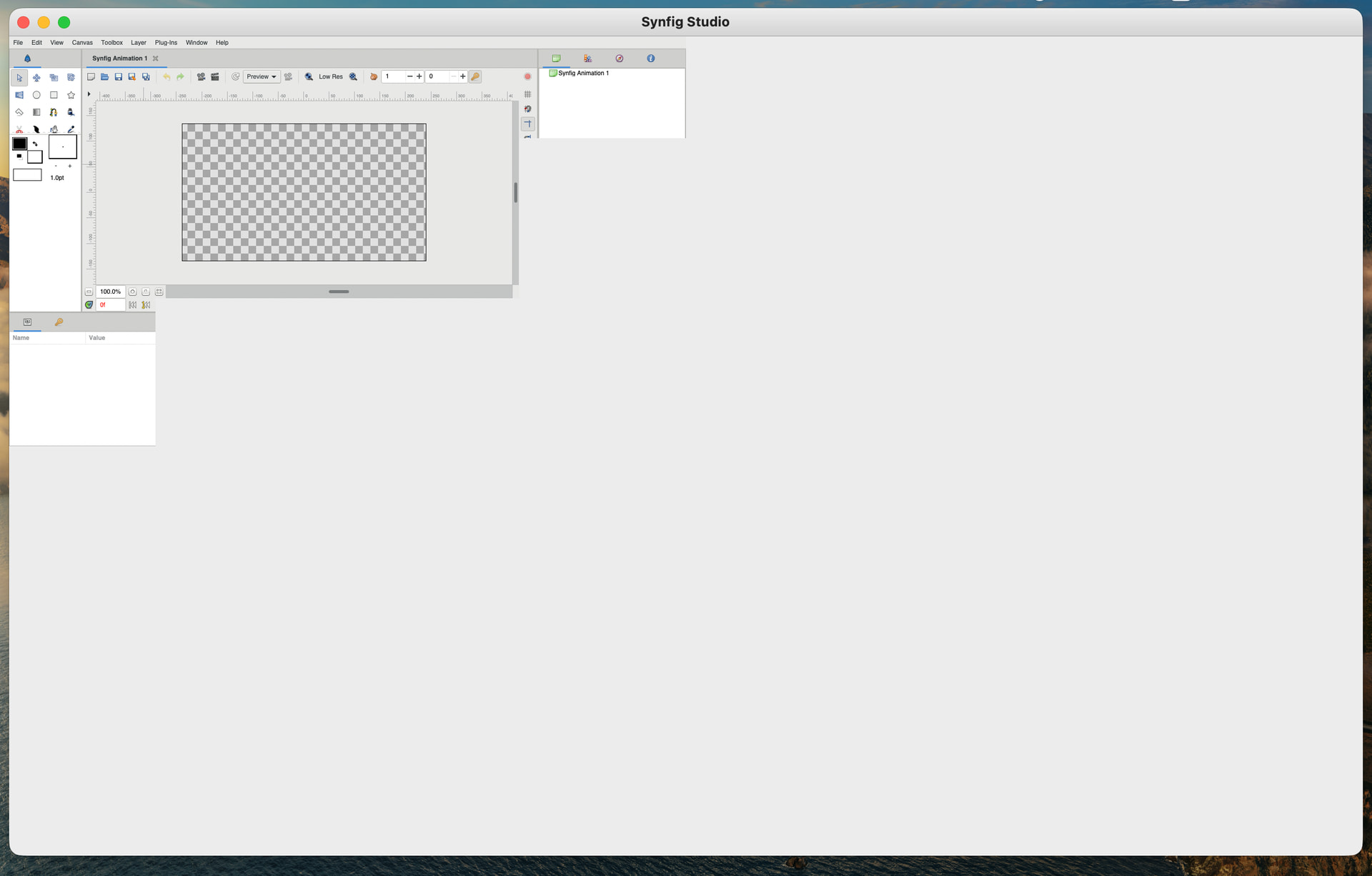
Hi, I have this error on MacOS Tahoe 26.2.
No matter how I resize the window, content is shown only in the top left quarter of the window. I cannot open any of the menus let alone access any of the settings… How to resolve this?
Hi,
which version of Synfig do you use ?
Have you tried with the last dev release 1.5.4?
Hi. Yes, I am on v1.5.4 dev release at the moment, but unfortunately I have been experiencing the same issue as on stable
@BobSynfig @ice0 what is the GTK version of macOS release?
I don’t know how is built MacOS version but we have access to the produced dmg.
7z x SynfigStudio-1.5.4-20260118.dmg
In SynfigStudio/SynfigStudio.app/Contents/Resources/bin/gtk3-demo
search for “Running against GTK+”
you have the version 3.22.26 at offset 0x0002d2b6
In SynfigStudio/SynfigStudio.app/Contents/Resources/lib/libgtk-3.0.dylib
search for “gtk+3”
you have the version 3.22.26 at the second occurence, at offset “0x0032f92c”


@ice0 let’s bump to 3.24.x ? XD
I need to check if this is possible (update to 3.24.x) on macOS 10.9, which is currently used for the build.
Can you check if homebrew version works fine? (https://brew.sh)
Same error occurs unfortunately
I am still on macOS 15, so I need a time to check this issue.
@brownbear
Please try to start Synfig from the command line, but adding before:
export GDK_SCALE=1
export GDK_DPI_SCALE=1
If it is still too much tiny, give GDK_SCALE=2