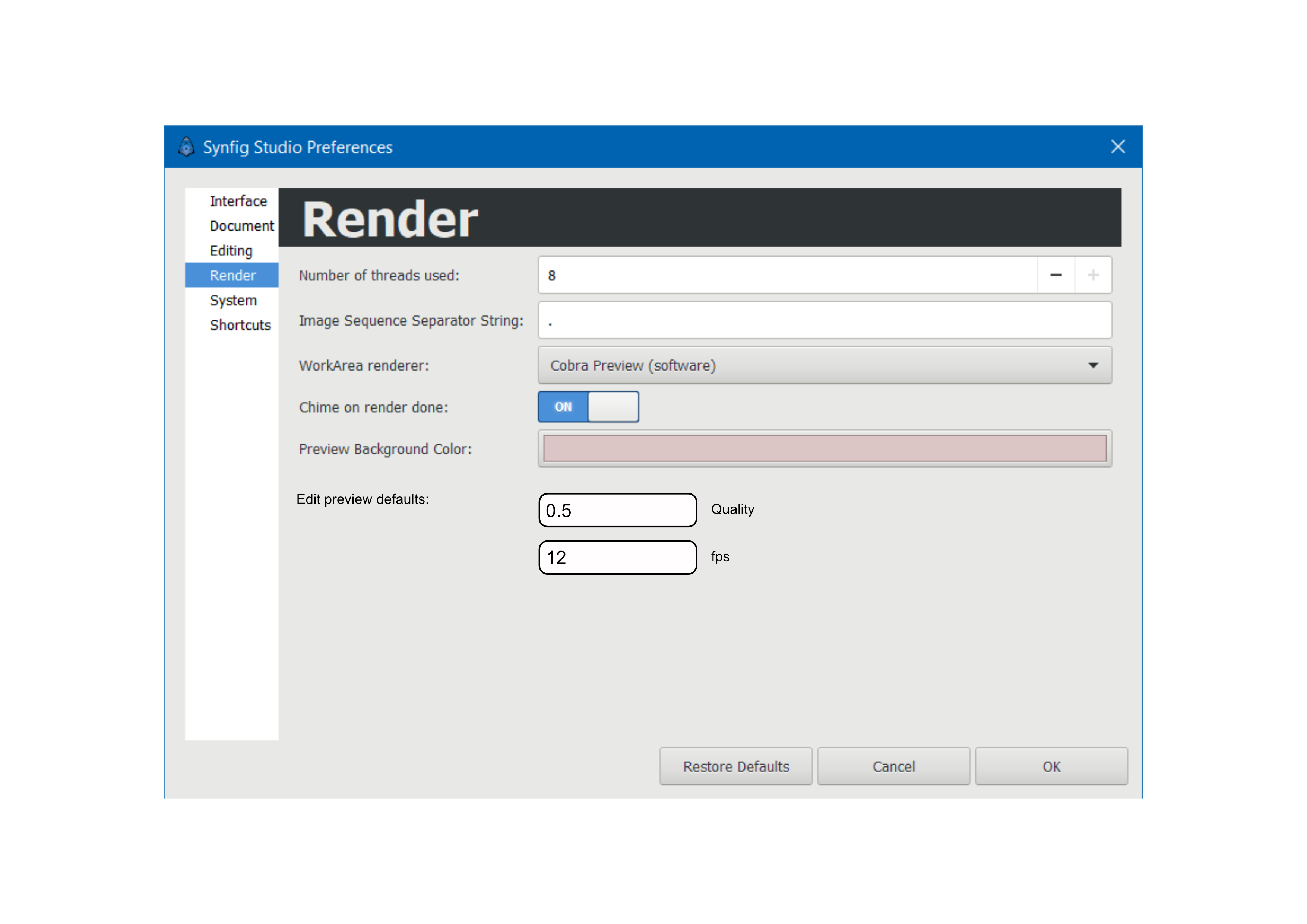
Quality = 1.0 - a good balance between rendering time and quality of the image
FPS = [project’s rate] - there shouldn’t be any frame skipping, it alters intended feel of animation
Old defaults are:
Quality = 0.5 (very poor quality)
FPS = Project’s rate / 2. So it skips frames which I am not a fan of, especially when making frame-by-frame animation
I use Preview window A LOT because you can manually and easily control speed of the animation using scrollbar. So how do you guys feel about this? @KonstantinDmitriev@rodolforg@BobSynfig@Kai@robertojguerra@Khemardi (man, I wish there was a group with all active artists, so we can ping them all using @artists)
The question is what is the point to do this ? A preview at (Quality 1 / FPS 24) is a full size and full quality render in cache (Quality 1 means size 100%).
The preview default settings are on purpose low quality to speed up the process in order to have a rough idea (you can see that it is a render with the progression bar).
In the other hand, you can obtain the same type of preview in the workarea activating “Render future and past frames in background when enabled” when you want to preview and if you set bounds it pre-renders everything in this interval only.
And at least in the workarea, you can set “Low Res” and select a rendering mode to make it lighter!
If you set the zoom at 100%, this is full canvas size.
Don’t use “Fit” that makes it look ugly.
And to have a default zoom to “100%” instead of “Fit” which makes the render ugly …
At least to understand that “Quality” is a ratio of the canvas resolution, not a real Quality setting
Hmm, I see people actually divided on this… Yeah, the option to change preview settings technically won, but I am not comfortable to push forward with this. Alright, what I think I am going to do is close my issue, close the related PR and then make a new issue about implementing defaults in the way @Kai suggested.
Maybe in meantime we could change Quality to Scale in Preview window, it does make more sense this way.
Ok, so…. I think there are really two separate issues here, and splitting them helps resolve the confusion. Currently “Quality” is misleading since it’s actually tied to resolution scaling (internally even called “zoom”). Renaming it to something like “Scale” or “Pixel Size” would actually make the behavior clearer I think, and reduce user confusion. Aslo, instead of pushing more controls into the preview UI, having editable default preview/render settings in Preferences seems like the cleaner long-term solution. This way, users can set their preferred behavior once, the preview dialog stays simple, and there will be no need to repeatedly adjust settings per session.
One more thing, a small addition like a “Save as default” button in the Preview Settings could complement this nicely without overcomplicating things.
Finally, I may not know what i’m talking about so maybe ignore what I say