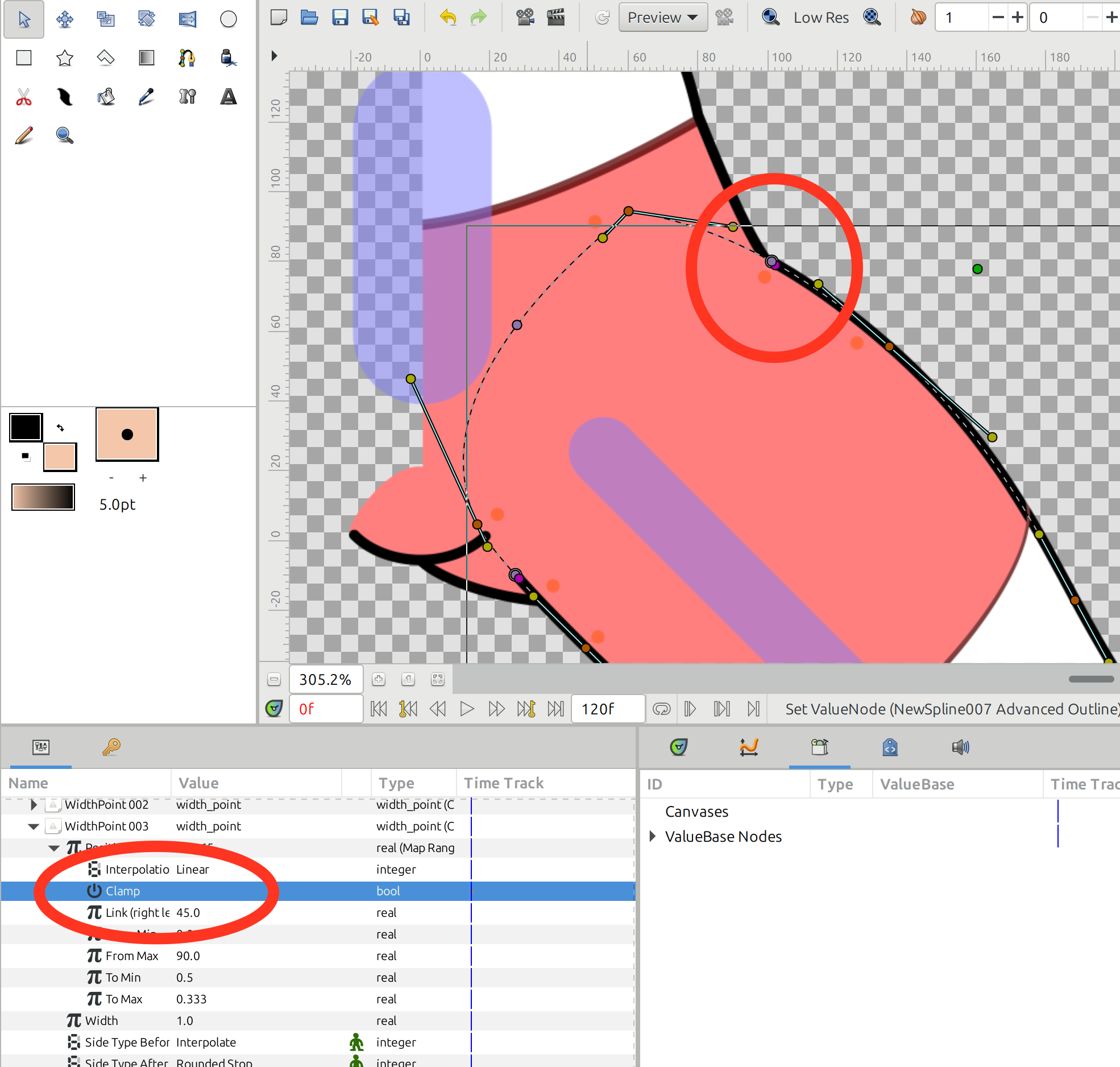
I want to fit a list range of -1-1 to 2-3.how to do this.i try range converter but it works like a clamp.would you guys have some method to do this.
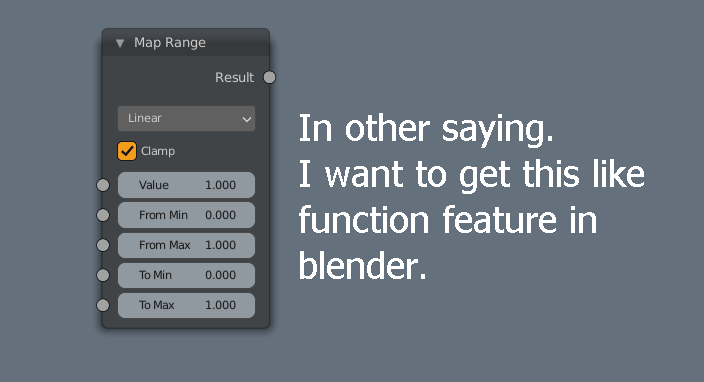
Thanks in advance.
I want to fit a list range of -1-1 to 2-3.how to do this.i try range converter but it works like a clamp.would you guys have some method to do this.
Thanks in advance.
I don’t know how this works in Blender, but by looking at the options in the images if this works as I guess.
Then from your example, this will work as following
lets assume the following values where
value = 0.5
from min = 0
from max = 1
to min = 50
to max = 100
so as the value is 0.5 the output will be 75.
If my explanation is correct on the function works in Blender or Animation Nodes (should I say)
So what you want is
value = 0.5 (any value)
from min = -1
from max = 1
to min = 2
to max = 3
So the result will be 2.75 if I am not wrong. Let me know if my guess of the function in Blender is correct ?
This is possible in Synfig you just would have to use combination of range and some addition, subtraction and multiplication also create some exported values (too complicated by still possible, converter have limitless abilities)
Here are the maths:
to_min + (to_max-to_min) x (value - from_min) / (from_max - from_min)
Ok.this is exactly what i looking for.i will try it.thanks so much.
This is clearly.I will take a try.thanks very much.
Hey @microvswind ! I don’t know if you’re still around, but I created a new valuenode for you 
Here is an example of a map range converter.
using timeloop convertion this is similar to finding ‘valueAtTime’.
I hope the add and subtract converters can be used in the Spline
you must commit this to use this converter
rangemap.zip (3.7 KB)
Demo:
today I used the Map Range converter to link a bone angle to a Width Node Position. It was really useful for making a cutout figure whose lines need to grow or shring with limb angle.
I have one comment: the “Clamp” property only works when the min<max… the linear mapping work as a reverse linear, but I wanted to clamp an input or output to limit line shrinkage.
Sorry I didn’t understand…
In this sifz file, observe the thigh outline that meets the hip. The width point position is controlled with a “Map Range”.
When you move the femur bone straight down (zero degrees), the outline becomes longer, to meet the hip.
When you move the femur to horizontal (90 degrees), the outline gets shorter, and it also meets the hip almost perfectly.
I would like to use the “Clamp” property to limit this mapping from 0 to 80 degrees, so that the thigh outline “dives” a little bit into the hip region (imitating a skin fold).
I tried, but when I activate “Clamp” this Width Position get messed up. I think it’s because the “From Min” and “To Min” are in decreasing order. I can try reversing the curve, so that the “Min” and “Max” are in increasing order.
I also used “Map Range” for the inner side of the thigh. It is working perfectly, because I didn’t need to use the Clamp feature.
mujer articulada 01.sifz (23.8 KB)
Got it.
I created a patch to allow this reversed target range: fix(ValueNode_MapRange): Clamp didn't work when target range is inverted by rodolforg · Pull Request #3776 · synfig/synfig · GitHub
Muchas Gracias Rodolfo
I am compiling Synfig for the first time  I compiled it successfully in Linux Mint 22.3
Can you quickly tell me how to use git to fetch the specific “Pull Request” you proposed yesterday?
You should fetch this PR choosing a local BRANCH_NAME and then switching to this new BRANCH_NAME:
git fetch origin pull/3776/head:BRANCH_NAME
git switch BRANCH_NAME
And then, build it again with ./2-build-xxxxx all build script you used.
In this case, it could be only the core: ./2-build core build
The magic number 3776 in the command lines above is the ID number of the mentioned PR (it’s in its page and URL address).
BRANCH_NAME is a name of your choice (but with usual constraints of an username: no spaces, no diacritics, alphanumeric characters, dashes and underlines are ok etc.)
Thank you… I got the git command correctly, finally.
I compiled it and the inverted range works with the clamping option