Heyyo, tis me again :')
I’m wondering…
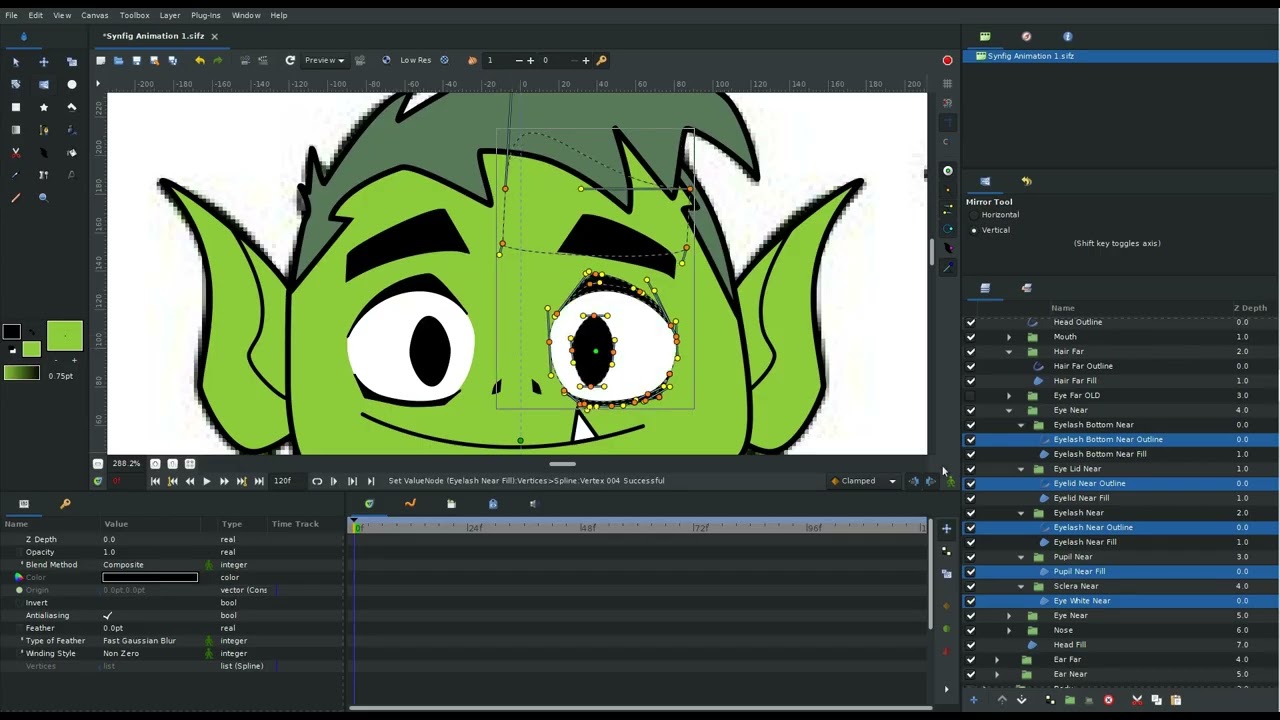
I have an eye group. And I have duplicated that eye group. I have tried changing the Scale to -1.0,0.0 (I don’t know if this is correct so am ready to undo)
But I want to Link the pupil groups from Eye Near (L) and Eye Far (R) so that they can be controlled at the same time (I’ll worry about Controllers later - I just want to stop the mirroring I am about to describe).
In order to make my duplicated eye, I have so far tried a bunch of attempts, all of which have ended with the Pupils going cross-eyed instead of both going right/left/up/down simultaneously.
Could someone please explain to me how I can correctly duplicate my eyes and still be able to use them “naturally” where they do not go cross-eyed / completely mirror each other?
Did you link the pupil’s vertices or origin points? If you linked the vertices, origin linking is simpler and cleaner.
the -1,1 transformation you used is doing its job as expected
what you need to do is undo the -1,1 transform back into 1,1. Then use the vertex mirror tool to flip the second eye.
Select all the layers (objects) that you want to flip. You can hide filled regions and only mirror the outlines, and it will still work.
Turn on the visibility of vertices and tangents. Hide all the thickness nodes. You don’t want to modify those.
Select all the vertices and tangent handles. Use the mirror tool as if you were to resize the vertices. But press shift first, to get horizontal mirroring.
dragging the mouse with the mirror tool moves the mirroring centerline.
now that your eye is flipped, without using the transform -1,1, link both pupils origins (the green vertex “duck” (handle))
Unfortunately I’m running into an issue where when I select both green ducks and choose Link, the pupils just keep jumping on top of each other and I can’t seperate them. Is there something I’m missing here?
Okay so somehow I got it to work. I mirrored the layer as you suggested and then I think I selected on each group and went to Transform > Link and then it finally did what I expected it to. I’m too scared to go back in case I’m wrong but i also wanna know how to do this right ;-;
Edit: I chanced undoing the connection and seeing if it was the Transform coordinates I needed. Even tho it is working, my “Transform Square” is still on the wrong eye. The square for Far is on top of Near but I can’t seem to bring it back over onto the right eye
Sorry thank you for the patience but for some reason I’m really struggling to understand this.
What I’ve now done:
Duplicate the Pupil folder
Click and drag to Highlight all Tangent and Vertex Handles
Choose the Mirror Tool and hold down Shift to activate Horizontal mirror
Drag the eye into the place it needs to be
Select both Pupil folders/layers and ensure that the Origins are linked (to ensure it is done correctly, the 7-point Transform square should be at the same point between each Pupil folder).
I think I’ve done it right now?? This seems right. I’m hoping that this is right and it won’t cause further problems later on :') Thank you so much for your help