# Unable to save to my documents folder at school \[Roaming profiles/Active Directory\]
**URL:** https://forums.synfig.org/t/unable-to-save-to-my-documents-folder-at-school-roaming-profiles-active-directory/12965
**Category:** Synfig related help
**Tags:** windows, unc, roaming, network, shared-drive
**Created:** [February 9, 2022, 3:50pm UTC](https://forums.synfig.org/t/unable-to-save-to-my-documents-folder-at-school-roaming-profiles-active-directory/12965 "2022-02-09T15:50:37Z")
**Posts on this page:** 5
**Page:** 1
### Author:  [@michaelxhermes1](https://forums.synfig.org/u/michaelxhermes1)
#### Post date: [February 9, 2022, 3:50pm UTC](https://forums.synfig.org/t/unable-to-save-to-my-documents-folder-at-school-roaming-profiles-active-directory/12965/1 "2022-02-09T15:50:37Z")
I am having a problem saving synfig work to the my documents folder on my PC. On File - \> save as
I have searched the forum but there is nothing to help me
I cannot do as suggested - ask the pupils to look for “other folders” that happen to work
Give them write access on school PC’s to Synfig program files folders etc… this is just silly!
If Synfig is to be used in schools on a network it should be easy to save work. My Documents should allow them to save
Any help appreciated.
Please see the google doc link with all my screenshots etc in.
_Edit BobSynfig: Removal of the link to the file, see the following reply for content and note_
---
### Author:  [@BobSynfig](https://forums.synfig.org/u/BobSynfig)
#### Post date: [February 10, 2022, 12:27am UTC](https://forums.synfig.org/t/unable-to-save-to-my-documents-folder-at-school-roaming-profiles-active-directory/12965/2 "2022-02-10T00:27:32Z")
_Content of the external file
Please, always provide the required information instead of a link which may break in the future, letting us without the context.
This is a forum, other users may have the same issue in the future._
> [@saving synfig files](https://forums.synfig.org/t/saving-synfig-files/2804/4):
>
> I had same problem on Windows at my work with Synfig 1.3.11 (installed). It requires write access to synfig bin folder, but regular user lacks permission to access “C:\Program Files”…
> I am having a problem saving synfig work to the my documents folder on my PC. On File - \> save as
>
> I have searched the forum but there is nothing to help
>
> 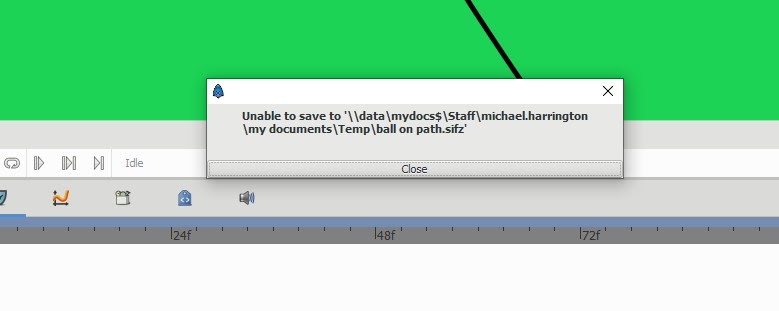
> There are 2 my documents folders which appear to be the same but it erros when I save to the first - short my documents folder
>
> This is a big problem teaching young students - they cannot save their work, no matter how often I tell them to use the other longer my documents folder!
>
> I cannot find help on the net. There is no talk of an INI file or setup that I can find
>
> Is there anything I/you can do? What is wrong?
>
> It needs to be as easy and simple as possible for young students to be able to use Synfig!
>
> See the screenshots below for the error
>
> It is exactly the same folder but I get this error when I use the short mydocumnets folder icon!!
>
> 
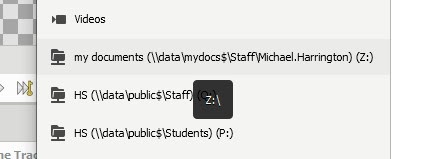
> No error when Saving to this my documents folder - the longer one!
> 
>
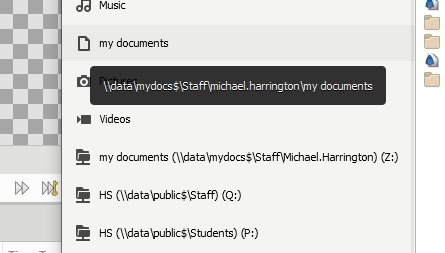
> The shorter my documents folder shortcut will not save
> 
>
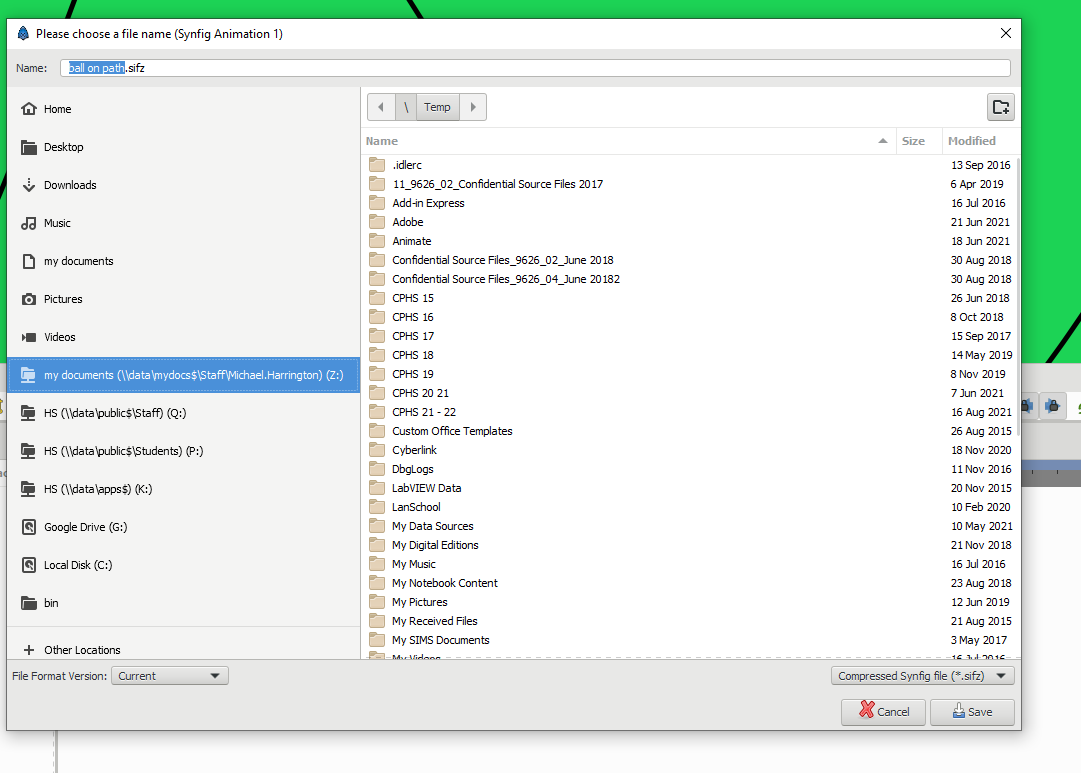
> Both long and short my documents have exactly the same view in the explorer save as window
>
> 
> 
> 
>
> I am working on a On windows 10 - 64 bit laptop
---
### Author:  [@BobSynfig](https://forums.synfig.org/u/BobSynfig)
#### Post date: [February 10, 2022, 12:52am UTC](https://forums.synfig.org/t/unable-to-save-to-my-documents-folder-at-school-roaming-profiles-active-directory/12965/3 "2022-02-10T00:52:28Z")
Hi and welcome here.
Unlike what you think, there are 2 different accesses to the same directory.
You are in a very specific case, shared access with roaming profiles.
In the first case, you access directly “My Documents” mapped through UNC, in the profile that is dependent on the session opened by the user.
In the second, there is a mapping (Drive letter Z: pointing ).
This is not a specific issue from Synfig, but rather one of configuration of access rights on the shared folders.
You should see with your network administrator in order to adjust the permissions in both Sharing and NTFS sections, surely in GPOs and Active Directory.
To make short, in one case, you access directly the directory through a drive letter.
In the other one, the data from the profile are downloaded in the local machine at the opening of the session and uploaded at closing.
In some cases it may bug.
Note that instead of using a letter mapping, you could also have a UNC shortcut.
But avoid this “My Document”, always use the Z: instead.
_Disclaimer: I worked as a technical support in a big company, we had calls for such issues everyday 😛_
---
### Author:  [@michaelxhermes1](https://forums.synfig.org/u/michaelxhermes1)
#### Post date: [February 10, 2022, 1:29pm UTC](https://forums.synfig.org/t/unable-to-save-to-my-documents-folder-at-school-roaming-profiles-active-directory/12965/4 "2022-02-10T13:29:37Z")
Thanks Bob for your reply and adding my screen shots to the post.
Are you saying this is the way it is? That it is not a bug or a problem?
I am sure Synfig would want this to be used in schools. So why would they put up with a feature that does not allow this? or causes problems when saving a file. This just demotivates and stresses pupils so much.
I am confused…
I assumed it was a set up issues and I just needed to do what others have done in schools/ work etc.
If this is just the way it is meant to be can I request a change to fix it!
thanks
---
### Author:  [@BobSynfig](https://forums.synfig.org/u/BobSynfig)
#### Post date: [February 10, 2022, 6:19pm UTC](https://forums.synfig.org/t/unable-to-save-to-my-documents-folder-at-school-roaming-profiles-active-directory/12965/5 "2022-02-10T18:19:38Z")
This is probably an issue of permissions that could be solved by your IT Administrator only.
Obviously, the “Temp” folder can’t be created in “My Documents”.
You can check also this issue [https://github.com/synfig/synfig/issues/1052](https://github.com/synfig/synfig/issues/1052), there was a similar issue for local non-admin profile, but keep in mind in your specific case you are in a file server/active directory environment.
For Permissions:
> **[Windows Server 2016 – Redirecting the My Documents folder to a network share...](https://devopspoints.com/windows-server-2016-redirecting-the-my-documents-folder-to-a-network-share.html)**
>
> Installing Apache On CentOS 8
>
>
>
>
> ...
> **[User can't save to network folder with full permissions](https://community.spiceworks.com/topic/338365-user-can-t-save-to-network-folder-with-full-permissions)**
>
> All users can read the folder. I just edited the folder and gave her full permissions, and yet she can't save or make changes to the folder. The network folder is on a Window...
> **[Roaming user profile](https://en.wikipedia.org/wiki/Roaming_user_profile)**
>
> A roaming user profile is a file synchronization concept in the Windows NT family of operating systems that allows users with a computer joined to a Windows domain to log on to any computer on the same domain and access their documents and have a consistent desktop experience, such as applications remembering toolbar positions and preferences, or the desktop appearance staying the same, while keeping all related files stored locally, to not continuously depend on a fast and reliable network conne...
> **[NTFS Permissions: How to Allow Creation of Files But Not Subfolders](https://blog.foldersecurityviewer.com/ntfs-permissions-how-to-allow-creation-of-files-but-not-subfolders/)**
>
> What if you allow users to add files to a given folder but not subfolders? It's easy! Just take care of a single NTFS Permission. In this article, we'll show you how.