# Synfig 1.3.15 Crash on right clicking waypoint
**URL:** https://forums.synfig.org/t/synfig-1-3-15-crash-on-right-clicking-waypoint/11252
**Category:** Animation related help
**Created:** [August 5, 2020, 10:57am UTC](https://forums.synfig.org/t/synfig-1-3-15-crash-on-right-clicking-waypoint/11252 "2020-08-05T10:57:13Z")
**Posts on this page:** 14
**Page:** 1
### Author:  [@tawatoons](https://forums.synfig.org/u/tawatoons)
#### Post date: [August 5, 2020, 10:57am UTC](https://forums.synfig.org/t/synfig-1-3-15-crash-on-right-clicking-waypoint/11252/1 "2020-08-05T10:57:14Z")
Hi community. I’m having some buggy behaviour when trying to edit any waypoint in 1.3.15. Right clicking on any waypoint causes an immediate crash. For example in the screenshot below, right clicking on any of the two waypoints of the selected circle region will cause a crash.
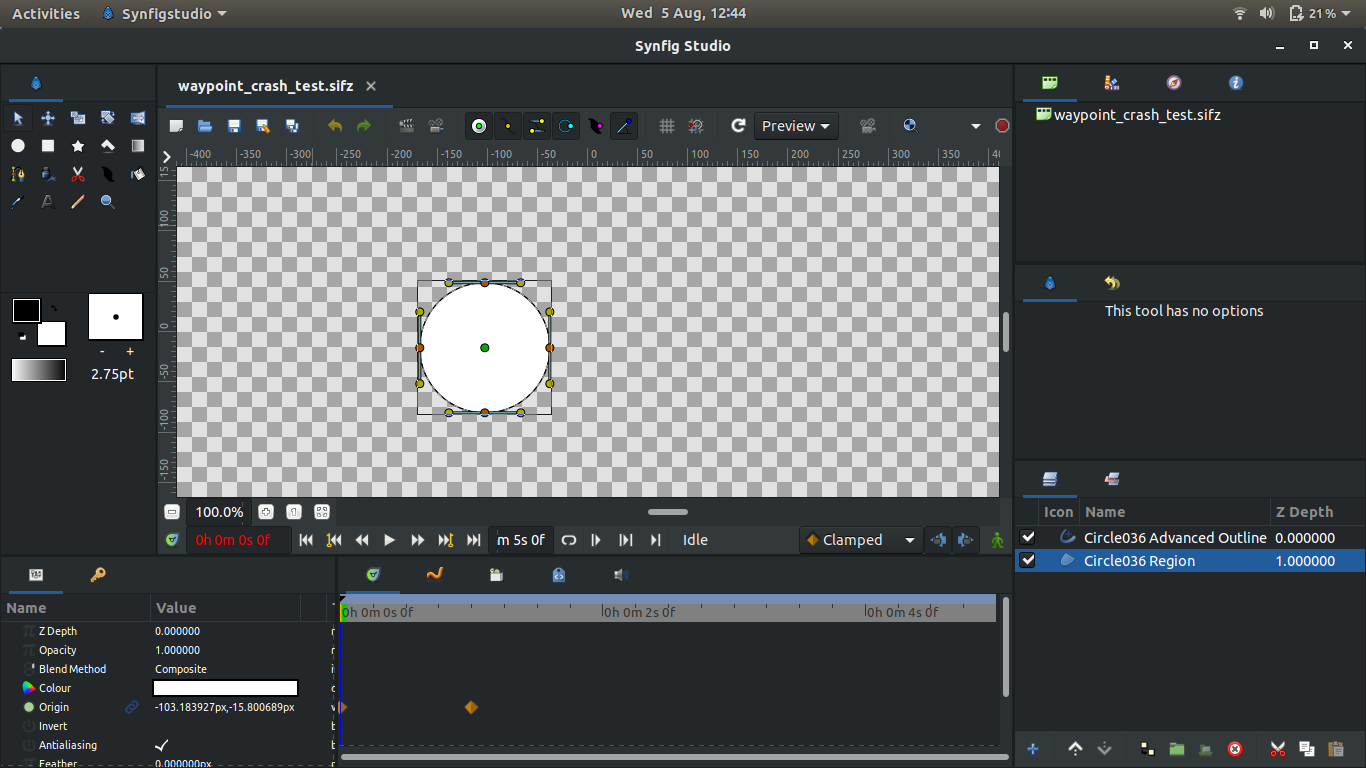
You can test using this file [waypoint\_crash\_test.sifz](https://forums.synfig.org/uploads/short-url/y6GDCwX8bfDCzZWlmWrxnbIMx4v.sifz) (1.7 KB)
---
### Author:  [@Fadhilkwan](https://forums.synfig.org/u/Fadhilkwan)
#### Post date: [August 5, 2020, 11:45am UTC](https://forums.synfig.org/t/synfig-1-3-15-crash-on-right-clicking-waypoint/11252/2 "2020-08-05T11:45:16Z")
Hi there, tawatoons!
So i tested the file, and tried to recreate the bug myself as well, and…
oh boy, this could be a critical issue…
But i have to confirm some things beforehand:
1. Try to create this same exact file again, select the circle, and look at the Graph panel.
Then right click on any waypoint Inside that Graph panel.
After that, try right-clicking that waypoint from Timeline/timetrack panel.
Please let me know what happened after you do each of those steps.
**EDIT: Please ignore this second one below. My dumb self forgot how graphs work…**
_2. Recreate the file again from scratch, select the circle, and look at the Graph panel thoroughly, then save._
_Next, reopen the file again, select the circle, and try to take another look at both Graph panel and timeline/timetrack panel._
_Please let me know what you see._
Apparently, i have to click the exact point (vector, origin, etc) to show graphs for each of those parameters.
I’m really sorry for this .\_.
---
### Author:  [@guskarisma](https://forums.synfig.org/u/guskarisma)
#### Post date: [August 5, 2020, 12:19pm UTC](https://forums.synfig.org/t/synfig-1-3-15-crash-on-right-clicking-waypoint/11252/3 "2020-08-05T12:19:01Z")
same issue here. The terminal output was:
```
./bin//launch.sh: line 66: 27286 Segmentation fault (core dumped) "$BASE_DIR/bin/synfigstudio.wrapper" "$@"
```
update:
this problem didn’t happen when i opened the same file in v 1.3.14.
---
### Author:  [@tawatoons](https://forums.synfig.org/u/tawatoons)
#### Post date: [August 5, 2020, 1:31pm UTC](https://forums.synfig.org/t/synfig-1-3-15-crash-on-right-clicking-waypoint/11252/4 "2020-08-05T13:31:21Z")
Hi Fadhilkwan. I found that I can right click waypoints in the Graphs panel but still any further attempt to right click within the Timetrack will crash
---
### Author:  [@rodolforg](https://forums.synfig.org/u/rodolforg)
#### Post date: [August 5, 2020, 3:43pm UTC](https://forums.synfig.org/t/synfig-1-3-15-crash-on-right-clicking-waypoint/11252/5 "2020-08-05T15:43:45Z")
Thank you for reporting, tawatoons!
And for testing guskarisma and Fadhilkwan!
@Fadhilkwan Could you please test this fix? [https://github.com/synfig/synfig/pull/1607](https://github.com/synfig/synfig/pull/1607)
---
### Author:  [@Fadhilkwan](https://forums.synfig.org/u/Fadhilkwan)
#### Post date: [August 5, 2020, 10:44pm UTC](https://forums.synfig.org/t/synfig-1-3-15-crash-on-right-clicking-waypoint/11252/6 "2020-08-05T22:44:16Z")
> @Fadhilkwan Could you please test this fix? [https://github.com/synfig/synfig/pull/1607](https://github.com/synfig/synfig/pull/1607)
Hi, @rodolforg! Sorry for the late reply, i had to build the master first to test it.
But it seems that this issue got fixed in this build.
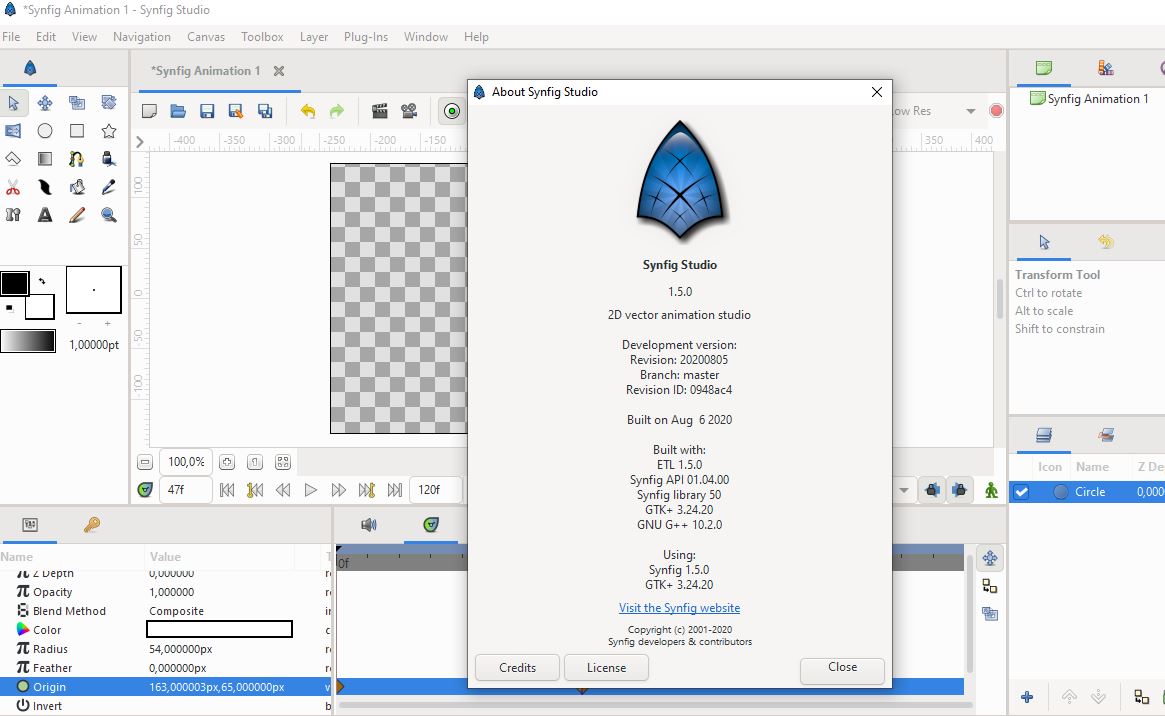
Though i still need a bit of confirmation whether i’m using the right version of not (i’m still trying to have a grasp on how this works) .\_.v
---
### Author:  [@rodolforg](https://forums.synfig.org/u/rodolforg)
#### Post date: [August 6, 2020, 2:21am UTC](https://forums.synfig.org/t/synfig-1-3-15-crash-on-right-clicking-waypoint/11252/7 "2020-08-06T02:21:26Z")
It’s on v1.3.x branch only.
---
### Author:  [@Fadhilkwan](https://forums.synfig.org/u/Fadhilkwan)
#### Post date: [August 6, 2020, 4:43am UTC](https://forums.synfig.org/t/synfig-1-3-15-crash-on-right-clicking-waypoint/11252/8 "2020-08-06T04:43:56Z")
> [@rodolforg](#):
>
> It’s on v1.3.x branch only
Wait, so… how can i get that specific branch?
I’m currently using the guide from this link to learn how to build synfig:
[https://synfig-docs-dev.readthedocs.io/en/latest/common/building.html](https://synfig-docs-dev.readthedocs.io/en/latest/common/building.html)
But i couldn’t find a way to get the v1.3.x branch ones.
Is there any way to do it within that method, or do i have to use different approach? .\_.
---
### Author:  [@rodolforg](https://forums.synfig.org/u/rodolforg)
#### Post date: [August 6, 2020, 2:50pm UTC](https://forums.synfig.org/t/synfig-1-3-15-crash-on-right-clicking-waypoint/11252/9 "2020-08-06T14:50:56Z")
There’s currently three development branches:
- stable – code related to 1.2.2
- master – the most updated (and less tested) code
- v1.3.x – a branch for the next stable, so it receives only bug fixes
You need to checkout for a branch in order to access its code.
If you don’t understand branches, read [https://git-scm.com/book/en/v2/Git-Branching-Branches-in-a-Nutshell](https://git-scm.com/book/en/v2/Git-Branching-Branches-in-a-Nutshell)
And documentation about checkout : [https://git-scm.com/docs/git-checkout](https://git-scm.com/docs/git-checkout)
Basically:
`git checkout v1.3.x`
And if you want to go back to master branch:
`git checkout master`
---
### Author:  [@rodolforg](https://forums.synfig.org/u/rodolforg)
#### Post date: [August 6, 2020, 3:16pm UTC](https://forums.synfig.org/t/synfig-1-3-15-crash-on-right-clicking-waypoint/11252/10 "2020-08-06T15:16:32Z")
@Fadhilkwan another way is to download the source code in a zip archive via github website: [https://github.com/synfig/synfig/tree/v1.3.x](https://github.com/synfig/synfig/tree/v1.3.x)
---
### Author:  [@KonstantinDmitriev](https://forums.synfig.org/u/KonstantinDmitriev)
#### Post date: [August 6, 2020, 4:37pm UTC](https://forums.synfig.org/t/synfig-1-3-15-crash-on-right-clicking-waypoint/11252/11 "2020-08-06T16:37:17Z")
The fix is shipped in the new release - [https://www.synfig.org/2020/08/06/synfig-studio-1-3-16-released/](https://www.synfig.org/2020/08/06/synfig-studio-1-3-16-released/)
Thanks to @rodolforg for fixing! 🙂
---
### Author:  [@Fadhilkwan](https://forums.synfig.org/u/Fadhilkwan)
#### Post date: [August 6, 2020, 5:16pm UTC](https://forums.synfig.org/t/synfig-1-3-15-crash-on-right-clicking-waypoint/11252/12 "2020-08-06T17:16:31Z")
> [@rodolforg](#):
>
> There’s currently three development branches:
>
> - stable – code related to 1.2.2
> - master – the most updated (and less tested) code
> - v1.3.x – a branch for the next stable, so it receives only bug fixes
>
> You need to checkout for a branch in order to access its code.
> If you don’t understand branches, read [Git - Branches in a Nutshell](https://git-scm.com/book/en/v2/Git-Branching-Branches-in-a-Nutshell)
> And documentation about checkout : [Git - git-checkout Documentation](https://git-scm.com/docs/git-checkout)
> Basically:
> `git checkout v1.3.x`
>
> And if you want to go back to master branch:
> `git checkout master`
Alright, i think i got it.
I managed to do the checkout thing and switch to 1.3.x branch, though i probably need to rebuild synfig again from scratch since it still shows as 1.5.0 when i launch it (which i’m currently doing anyway, just to make sure that i did everything correctly)
Thanks a lot for your help! 😃
> [@KonstantinDmitriev](#):
>
> The fix is shipped in the new release
>
> Thanks to @rodolforg for fixing! 🙂
Nice! ^-^
---
### Author:  [@rodolforg](https://forums.synfig.org/u/rodolforg)
#### Post date: [August 6, 2020, 5:49pm UTC](https://forums.synfig.org/t/synfig-1-3-15-crash-on-right-clicking-waypoint/11252/13 "2020-08-06T17:49:55Z")
> [@Fadhilkwan](#):
>
> I managed to do the checkout thing and switch to 1.3.x branch, though i probably need to rebuild synfig again from scratch since it still shows as 1.5.0 when i launch it (which i’m currently doing anyway, just to make sure that i did everything correctly)
Yeah: the branches are quite different now, so it’d need a full build `./2-build-debug.sh all build` 😉
---
### Author:  [@tawatoons](https://forums.synfig.org/u/tawatoons)
#### Post date: [August 6, 2020, 6:37pm UTC](https://forums.synfig.org/t/synfig-1-3-15-crash-on-right-clicking-waypoint/11252/14 "2020-08-06T18:37:00Z")
Thanks for the quick fix everyone!