### Author:  [@pablogil](https://forums.synfig.org/u/pablogil)
#### Post date: [September 1, 2023, 9:29am UTC](https://forums.synfig.org/t/my-import-export-plugin-svg-telegram-sticker-lottie-dotlottie/10929/21 "2023-09-01T09:29:45Z")
I already have seen it but I couldn’t figure out how to “activate” for instance Lottie export as all `` point to `tsg-exporter.py` and not Lottie…
Please, could you show me how to activate Lottie so that I can figure it out?
thanks
---
### Author:  [@pablogil](https://forums.synfig.org/u/pablogil)
#### Post date: [September 1, 2023, 9:47am UTC](https://forums.synfig.org/t/my-import-export-plugin-svg-telegram-sticker-lottie-dotlottie/10929/22 "2023-09-01T09:47:49Z")
I think I may found my mistake: once installed the plugin, when you want to export your animation, instead of going to menu `Plug-ins / Export Telegram Sticker`, you should directly go to `File / Export...` and select the new options labeled with **[pylot]**.
.
Is that the correct way to export (and therefore import as well)?
---
### Author:  [@Glax](https://forums.synfig.org/u/Glax)
#### Post date: [September 1, 2023, 10:02am UTC](https://forums.synfig.org/t/my-import-export-plugin-svg-telegram-sticker-lottie-dotlottie/10929/23 "2023-09-01T10:02:24Z")
yes
(typing more nonsense otherwise I can’t post o\_O)
---
### Author:  [@pablogil](https://forums.synfig.org/u/pablogil)
#### Post date: [September 2, 2023, 9:21am UTC](https://forums.synfig.org/t/my-import-export-plugin-svg-telegram-sticker-lottie-dotlottie/10929/24 "2023-09-02T09:21:51Z")
Hi @Glax,
Sorry for bothering you again, I have some questions regarding Synfig to Lottie export:
1. Does **text layer** work? it doesn’t for me (even tried your `baseline.sif`example… is that well known or a bug?
2. Another odd behavior I found is that **circle and star layers** somehow depends on canvas “image span” size to define their final size but for instance rectangle and region ones doesn’t. Is that normal?
Synfig editor looks like the following (check that rectangle doesn’t get scaled):
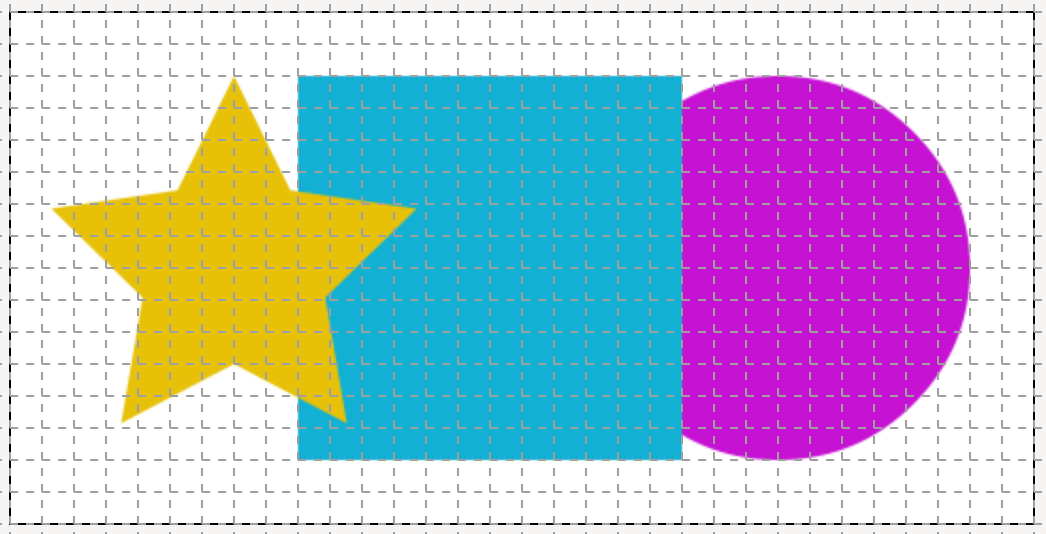
Canvas with `image span = 24.4767` exports as:

Canvas with `image span = 12.0680` exports as:
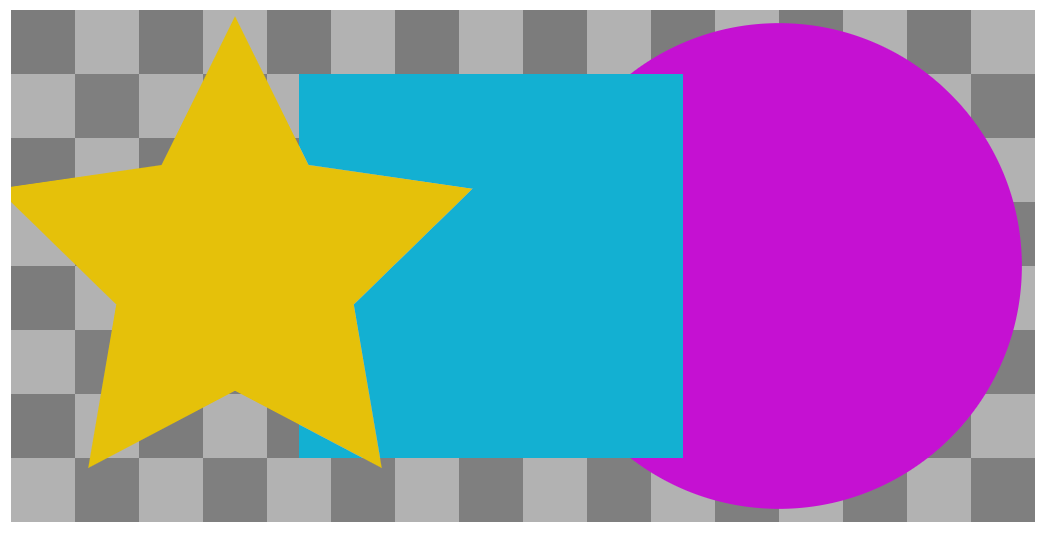
Canvas with `image span = 10.0000` exports as:
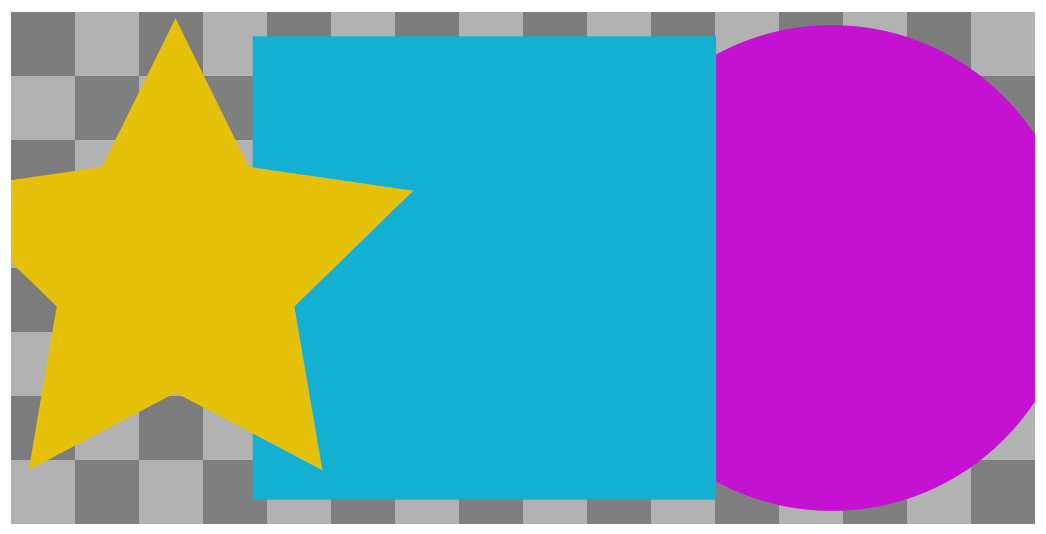
Thanks
---
### Author:  [@Glax](https://forums.synfig.org/u/Glax)
#### Post date: [September 2, 2023, 9:58am UTC](https://forums.synfig.org/t/my-import-export-plugin-svg-telegram-sticker-lottie-dotlottie/10929/25 "2023-09-02T09:58:49Z")
I haven’t worked on the synfig to lottie in a long while, I think I made it before I knew how text layers work. It’s definitely possible to support them but it would need to be implemented.
I’m not sure about the size of the circle and such, maybe just a bug.
---
### Author:  [@Archer](https://forums.synfig.org/u/Archer)
#### Post date: [September 5, 2023, 6:21am UTC](https://forums.synfig.org/t/my-import-export-plugin-svg-telegram-sticker-lottie-dotlottie/10929/26 "2023-09-05T06:21:18Z")
Hello Mattia. Great job with the plugin. I would like to know what you think. Do you think it is important that the plugin exports each frame of the animation in sequence of svg images? I consider that everything that helps to preserve an animation beyond the limitation of the pixels is important. Many have told me that it doesn’t make sense because compositing programs don’t work with svg sequences and few animation programs do. The only animation program I know of that imports svg image sequences is Tupitube.desk. I would like the function to import and export to sequence of images in svg to exist.
[Previous page](https://forums.synfig.org/t/my-import-export-plugin-svg-telegram-sticker-lottie-dotlottie/10929.md?page=1)