Hi, good day.
Im my case, I leave all the PNGs in a folder (this will help you a lot, because, if you want edit some frame with gimp for examle, when you re-open your KDenLive porject the pic will be updated in the slideshow)
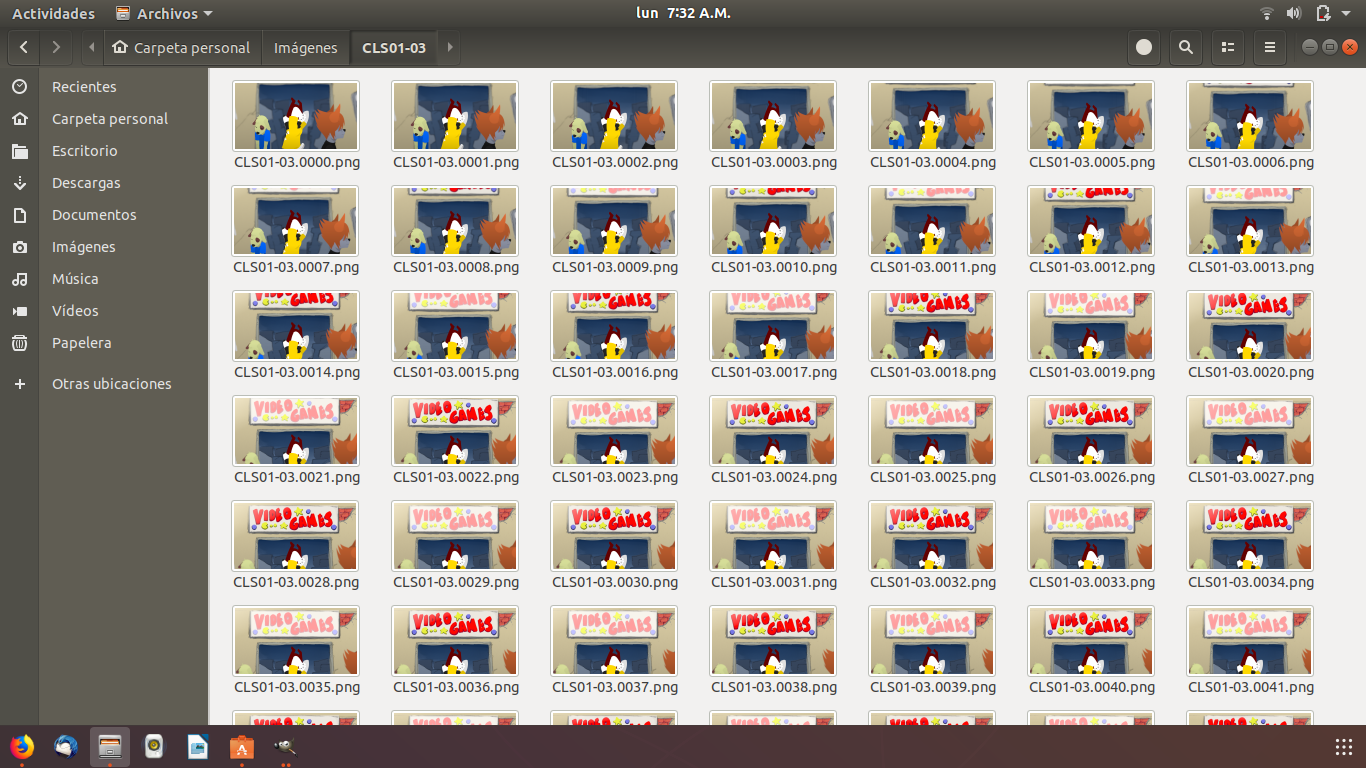
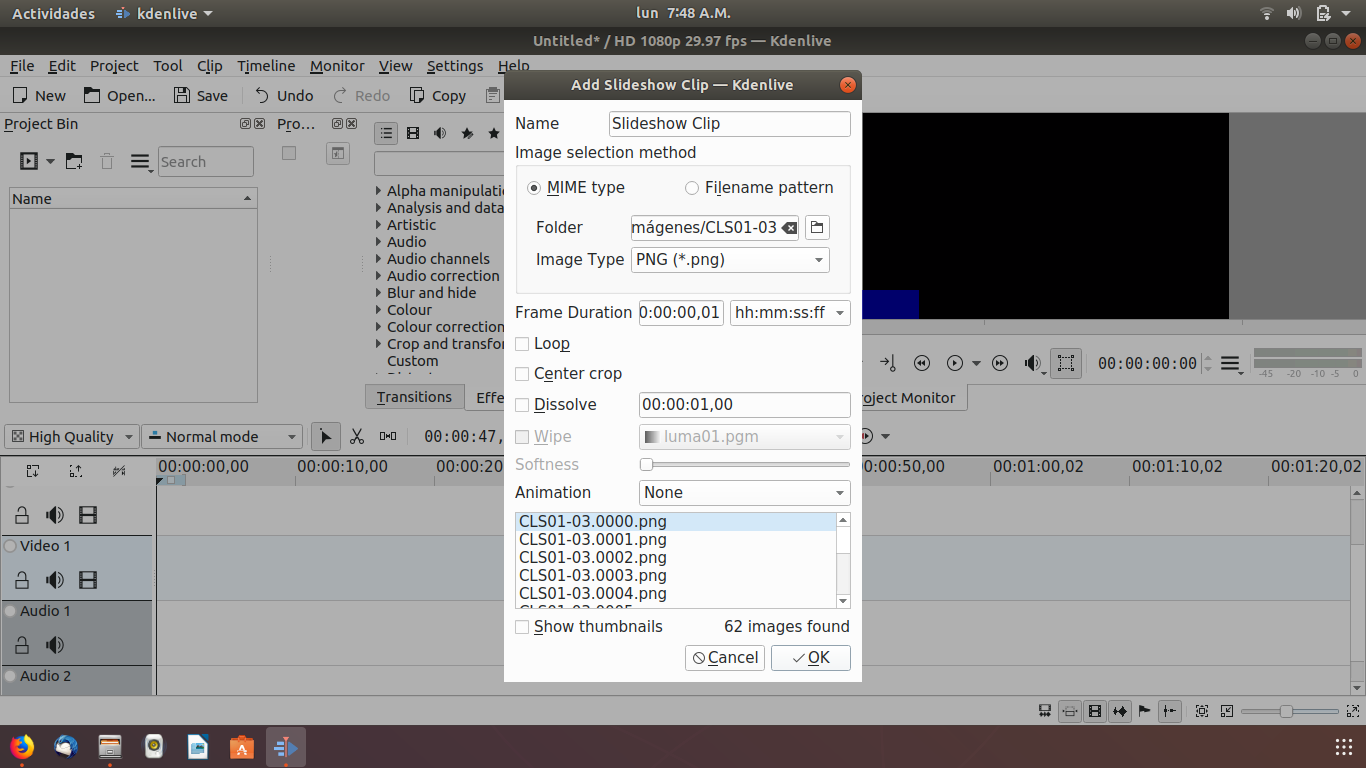
then on KDenLive, goto: AddClip - Add Slideshow Clip, it will show you a window like this one:

Then: select the image type: PNG on this case, browse the folder where you save your PNGs sequence, (I recomend you have only one PNG sequence in the same folder) open it, then on FRAME DURATION, put: 00:00:00,01 (this will mean that every PNG will be show it by 1 frame, if you feel that it going to fast can change it to 00:00:00,02) then click OK
Then you will have your animated SlideShow Clip, you can have more of 1 Slideshow Clip on your KdenLive Video Porject.

now you can make it any video edition effect that KdenLive can give it to you, this is the same animation of my first reply, BUT this is how I really imported from the PNGs sequence, I put it the Camera Effects, the Ending and Opening (and the Audios Obviusly) with KDenLive,
I dont really like Export on any other formats that dont be: PNG, with the synfig, because some times that other formats need an extra things and the exports file dont look fine, when you export on PNG you can be sure that the Quality will be excelent.
I hope that can help you.