# Brand new Mel here
**URL:** https://forums.synfig.org/t/brand-new-mel-here/11500
**Category:** Introductions
**Created:** [November 5, 2020, 1:03pm UTC](https://forums.synfig.org/t/brand-new-mel-here/11500 "2020-11-05T13:03:40Z")
**Posts on this page:** 17
**Page:** 1
### Author:  [@MellyT](https://forums.synfig.org/u/MellyT)
#### Post date: [November 5, 2020, 1:03pm UTC](https://forums.synfig.org/t/brand-new-mel-here/11500/1 "2020-11-05T13:03:41Z")
Hey 🙂 Hope you are all well in this strange time we live in. I love animation it makes me so happy. I’ve been playing around with different types of animation for many years. I am interested in getting to grips with 2d animation and actually finishing a piece. we all know it can take soo long. Anyway Looking forwards to using Synfig. kind regards Mel
---
### Author:  [@rodolforg](https://forums.synfig.org/u/rodolforg)
#### Post date: [November 6, 2020, 1:36am UTC](https://forums.synfig.org/t/brand-new-mel-here/11500/2 "2020-11-06T01:36:06Z")
Welcome!
If you need any help, try the [https://wiki.synfig.org](https://wiki.synfig.org) , search for threads on Synfig forums or post here on appropriate forum 🙂
---
### Author:  [@MellyT](https://forums.synfig.org/u/MellyT)
#### Post date: [December 3, 2020, 2:14pm UTC](https://forums.synfig.org/t/brand-new-mel-here/11500/3 "2020-12-03T14:14:29Z")
Hey Rodolforg. THankyou for the message. I am currently stuck on rigging a 2d chacter that i Imported the seperate parts from Krita. Really hope you can help me coz its for work
---
### Author:  [@Khemardi](https://forums.synfig.org/u/Khemardi)
#### Post date: [December 5, 2020, 1:44am UTC](https://forums.synfig.org/t/brand-new-mel-here/11500/4 "2020-12-05T01:44:49Z")
Well, you’re in the right place. Also maybe one if this guys tutorial could assist you xD:
https://www.youtube.com/embed/o2mUFz29u-4?feature=oembed&wmode=opaque&list=PLjuma0nCUc49ouTXvF9DtqBAOvMKjQLhF
---
### Author:  [@MellyT](https://forums.synfig.org/u/MellyT)
#### Post date: [December 5, 2020, 1:23pm UTC](https://forums.synfig.org/t/brand-new-mel-here/11500/5 "2020-12-05T13:23:45Z")
ah thankyou soo much for replying. Really good and helpful videos. The Video about the Bones and Parenting was helpful. Yes at first before I watched your video I wasn’t sure which circles on the bone to click to create the child… so its any of the circles… which is good… I have watched a video I think from synfig what was about development bone part 6 where it just created one single rectangle with two bones in it. highlighted all the vertices and the skeleton and linked to skeleton… and that worked as well. im abit confused which one to use… lets say I created an arm. with three components i just dont want the elbow to look weird.
---
### Author:  [@MellyT](https://forums.synfig.org/u/MellyT)
#### Post date: [December 5, 2020, 1:25pm UTC](https://forums.synfig.org/t/brand-new-mel-here/11500/6 "2020-12-05T13:25:52Z")
another thing that happened when i tried it… is when i put the bones in and linked them to the bones instead of skeleton. when i used the rotation tool. the arm was way out… and went really weird… I think I need to add some screen prints on here to show you.
---
### Author:  [@Khemardi](https://forums.synfig.org/u/Khemardi)
#### Post date: [December 5, 2020, 1:48pm UTC](https://forums.synfig.org/t/brand-new-mel-here/11500/7 "2020-12-05T13:48:25Z")
You have to keep in mind where you put the rotation points. This tutorial from the documentation is good as well: [https://wiki.synfig.org/Doc:Basic\_Bone\_Tutorial](https://wiki.synfig.org/Doc:Basic_Bone_Tutorial)
---
### Author:  [@MellyT](https://forums.synfig.org/u/MellyT)
#### Post date: [December 5, 2020, 2:27pm UTC](https://forums.synfig.org/t/brand-new-mel-here/11500/8 "2020-12-05T14:27:59Z")
What is the difference when u hightlight all the vertices and then link each section to the bone… as supposed to linking them to skeleton?
---
### Author:  [@MellyT](https://forums.synfig.org/u/MellyT)
#### Post date: [December 5, 2020, 2:36pm UTC](https://forums.synfig.org/t/brand-new-mel-here/11500/9 "2020-12-05T14:36:11Z")
Also when I import each item of the character into synfig it puts it in a Group, when within that group there is an Inline Canvas then there are the two path - which is the outside of the item and the inside. when I first tried to link to bone i didnt know whether to highlight the group, bit then inline canvas bit as well as the item… and obv the skeleton. I am sorry if you think i might be a little dumb… I am actually on the spectrum and need a little more help and explanation… sorry
---
### Author:  [@Khemardi](https://forums.synfig.org/u/Khemardi)
#### Post date: [December 5, 2020, 3:25pm UTC](https://forums.synfig.org/t/brand-new-mel-here/11500/10 "2020-12-05T15:25:57Z")
Only the highlighted vertices will be linked to the bone. So if you only wanted two vertices, for example, to be linked, then you would select just those two. So the bone would not control what you did not select.
---
### Author:  [@Khemardi](https://forums.synfig.org/u/Khemardi)
#### Post date: [December 5, 2020, 3:27pm UTC](https://forums.synfig.org/t/brand-new-mel-here/11500/11 "2020-12-05T15:27:20Z")
Post screenshots of what the issue is and explain in detail what you are trying to do so that I’ll be able to assist better
---
### Author:  [@MellyT](https://forums.synfig.org/u/MellyT)
#### Post date: [December 5, 2020, 5:02pm UTC](https://forums.synfig.org/t/brand-new-mel-here/11500/12 "2020-12-05T17:02:17Z")
ok so this is just one arm…
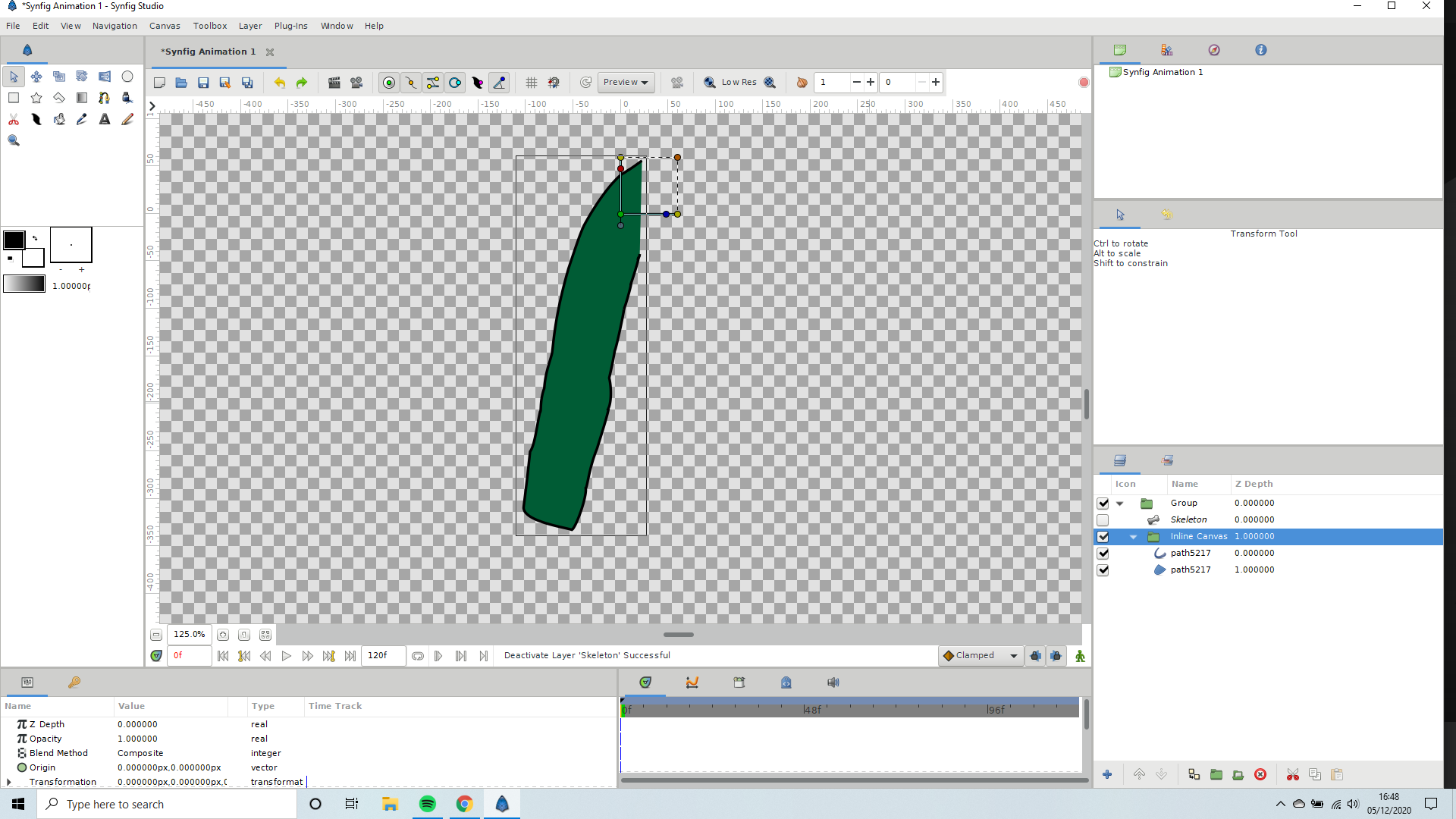 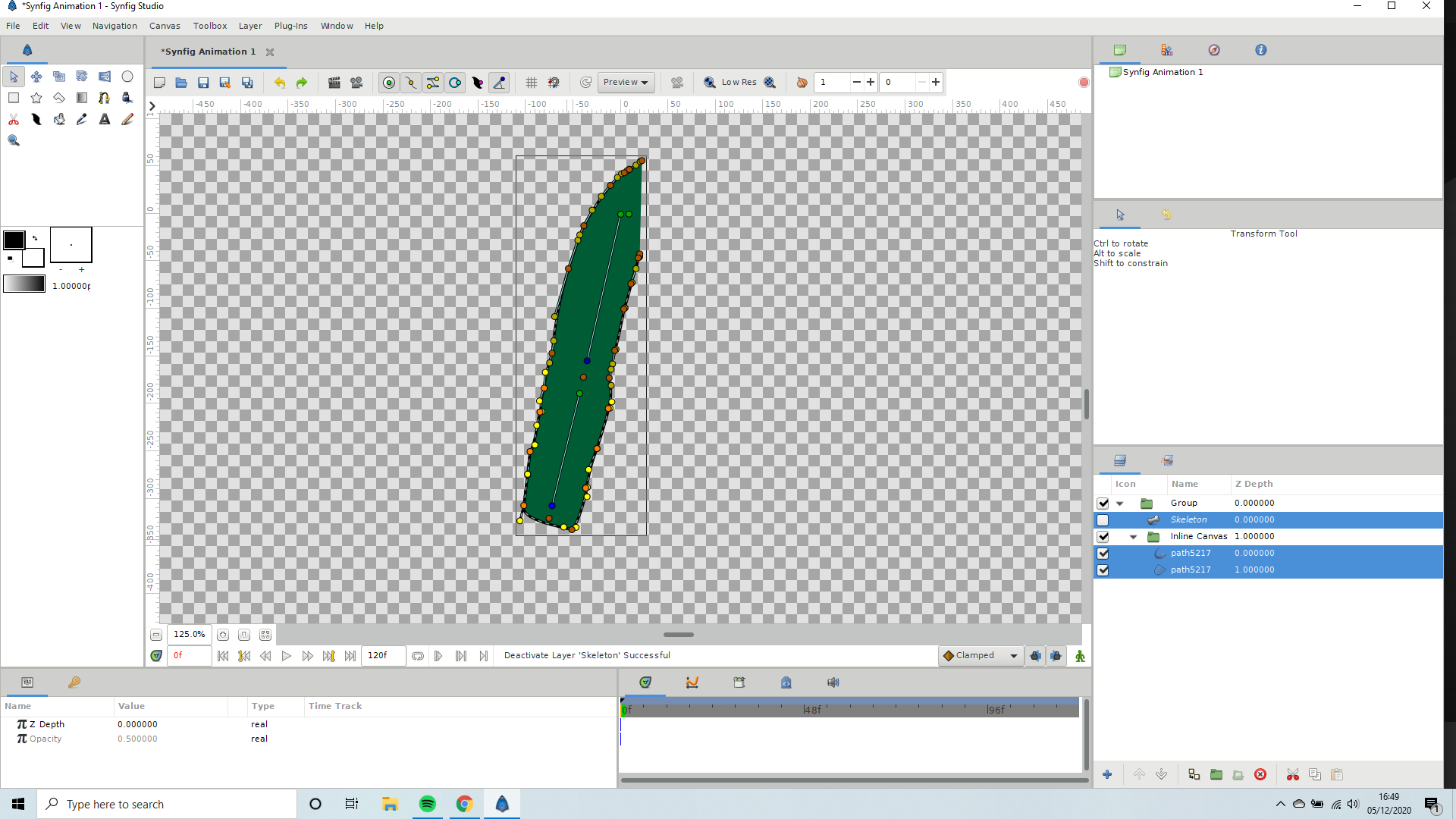 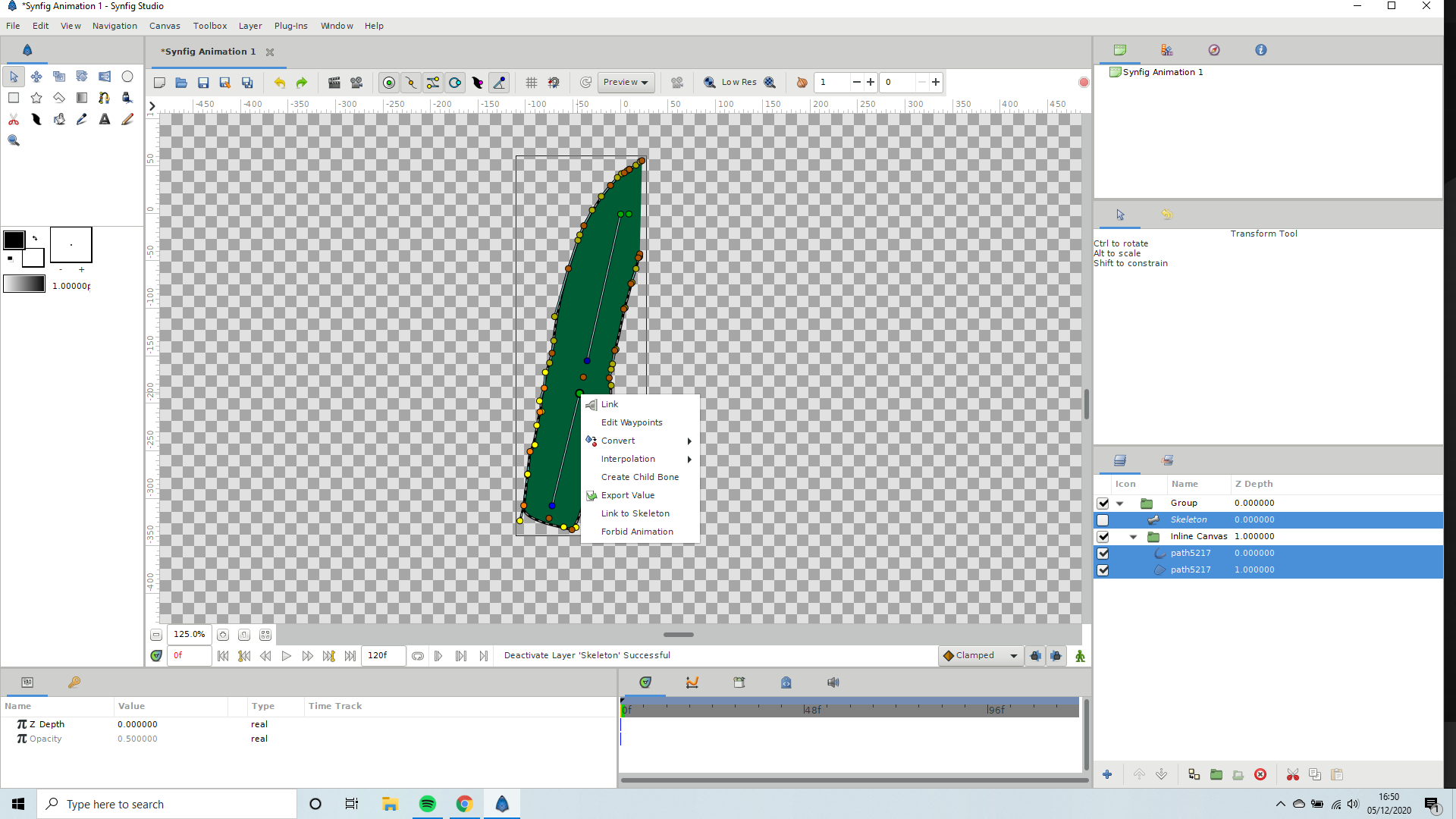  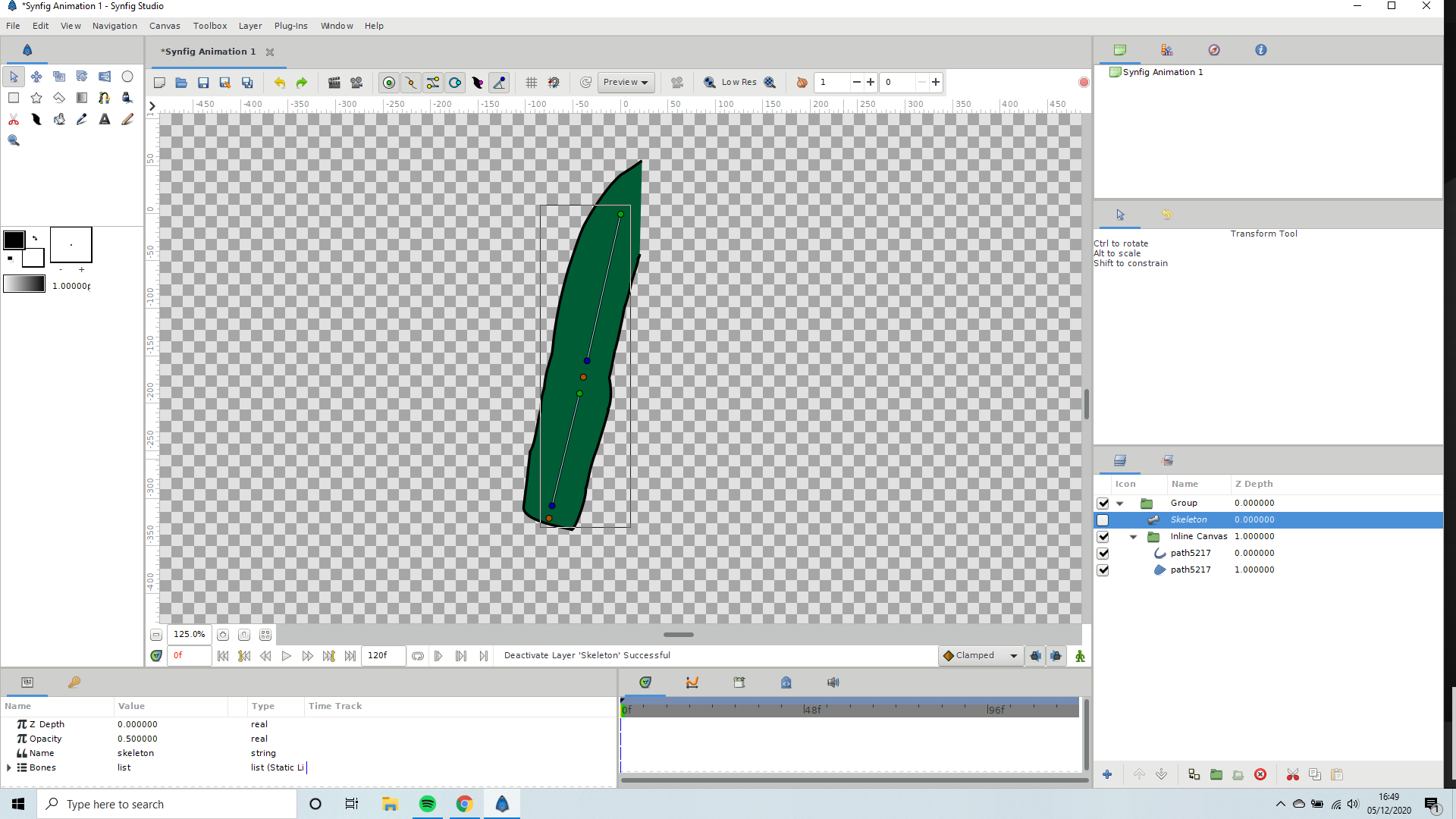 and i have put two bones in .
the last one is supposed to be the second one. anyway this seems to work find… I hope I am doing it correctly.
its mainly when I import another arm… when it goes wrong…
---
### Author:  [@MellyT](https://forums.synfig.org/u/MellyT)
#### Post date: [December 5, 2020, 5:17pm UTC](https://forums.synfig.org/t/brand-new-mel-here/11500/13 "2020-12-05T17:17:44Z")
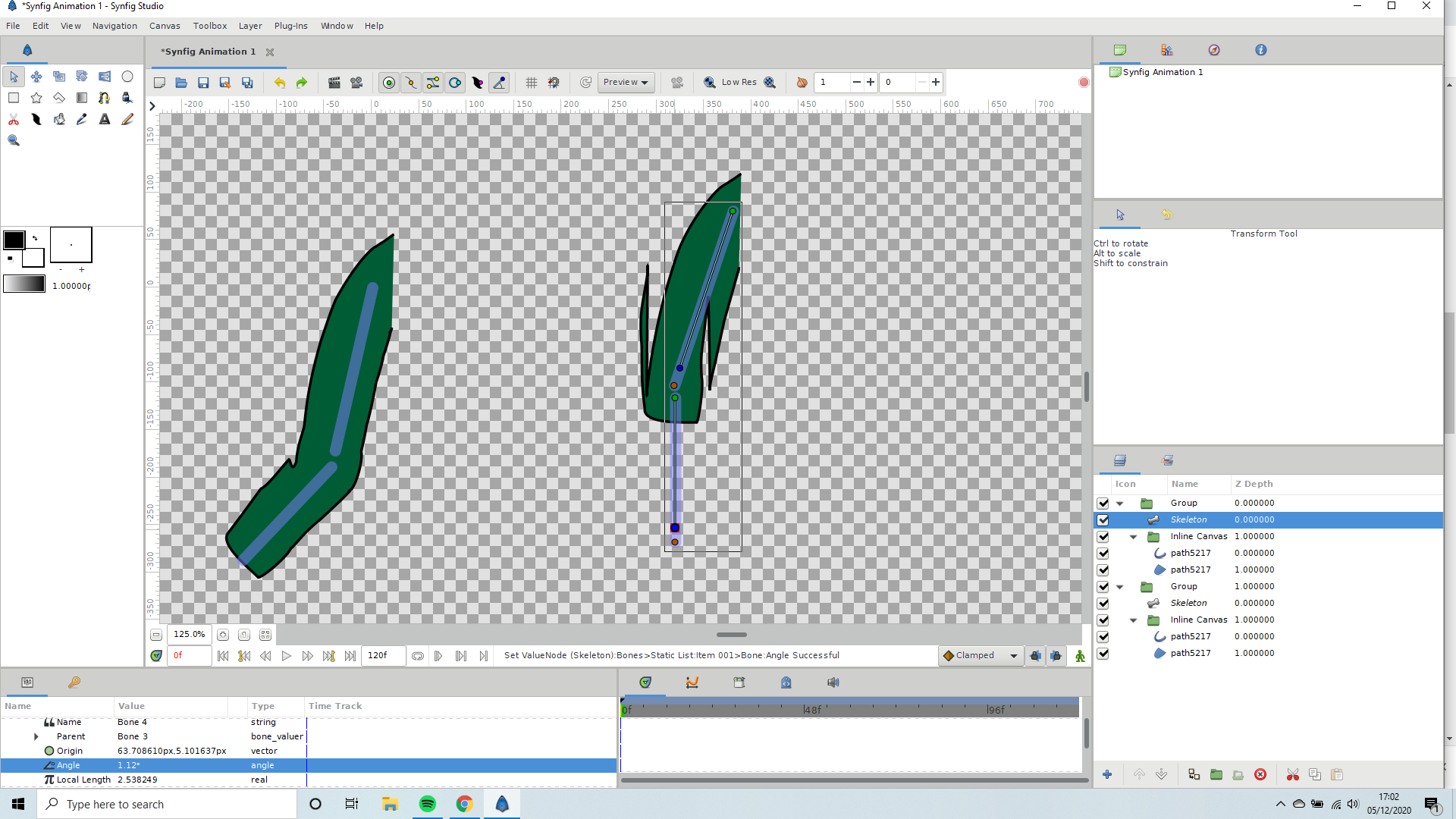   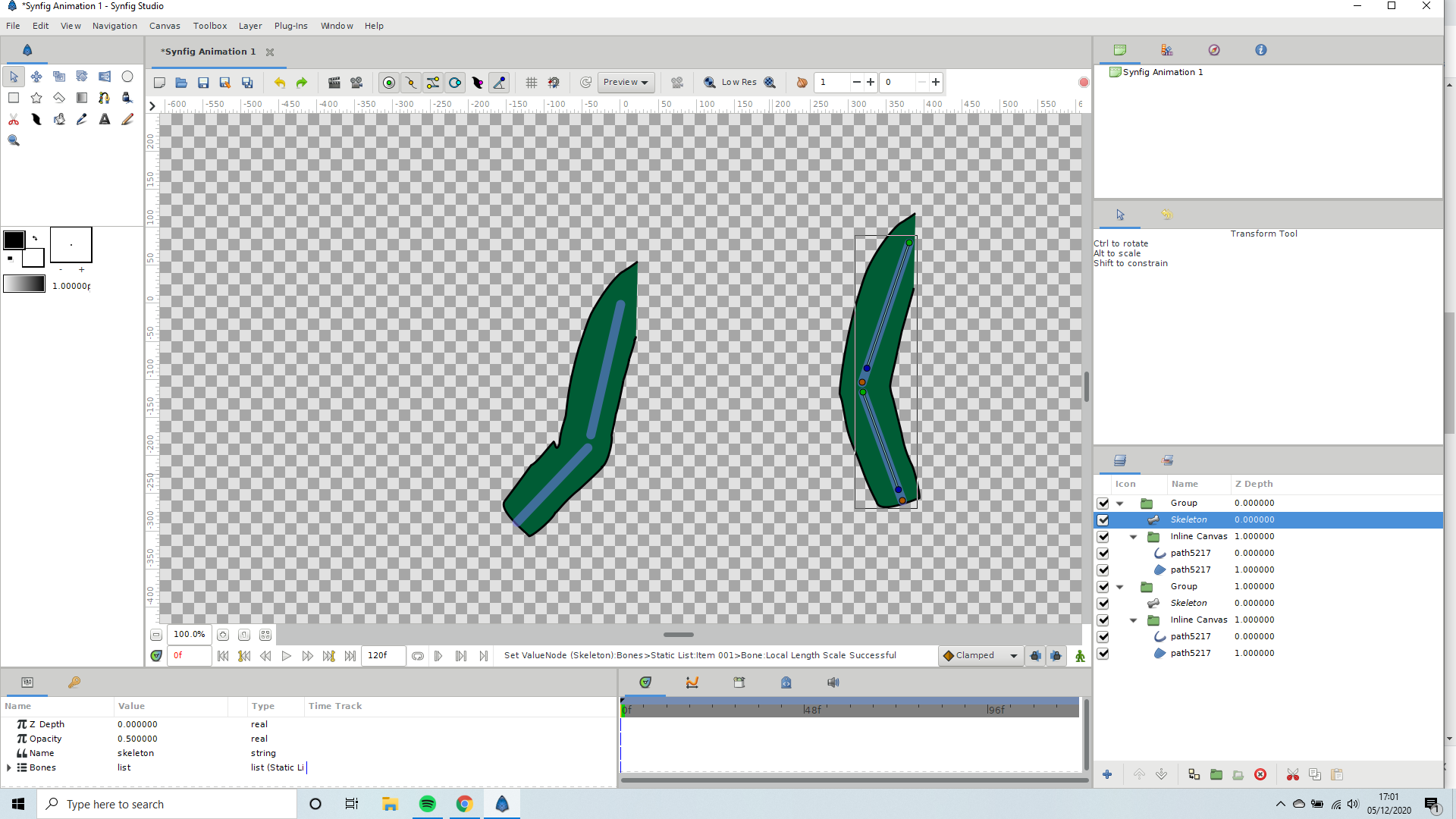 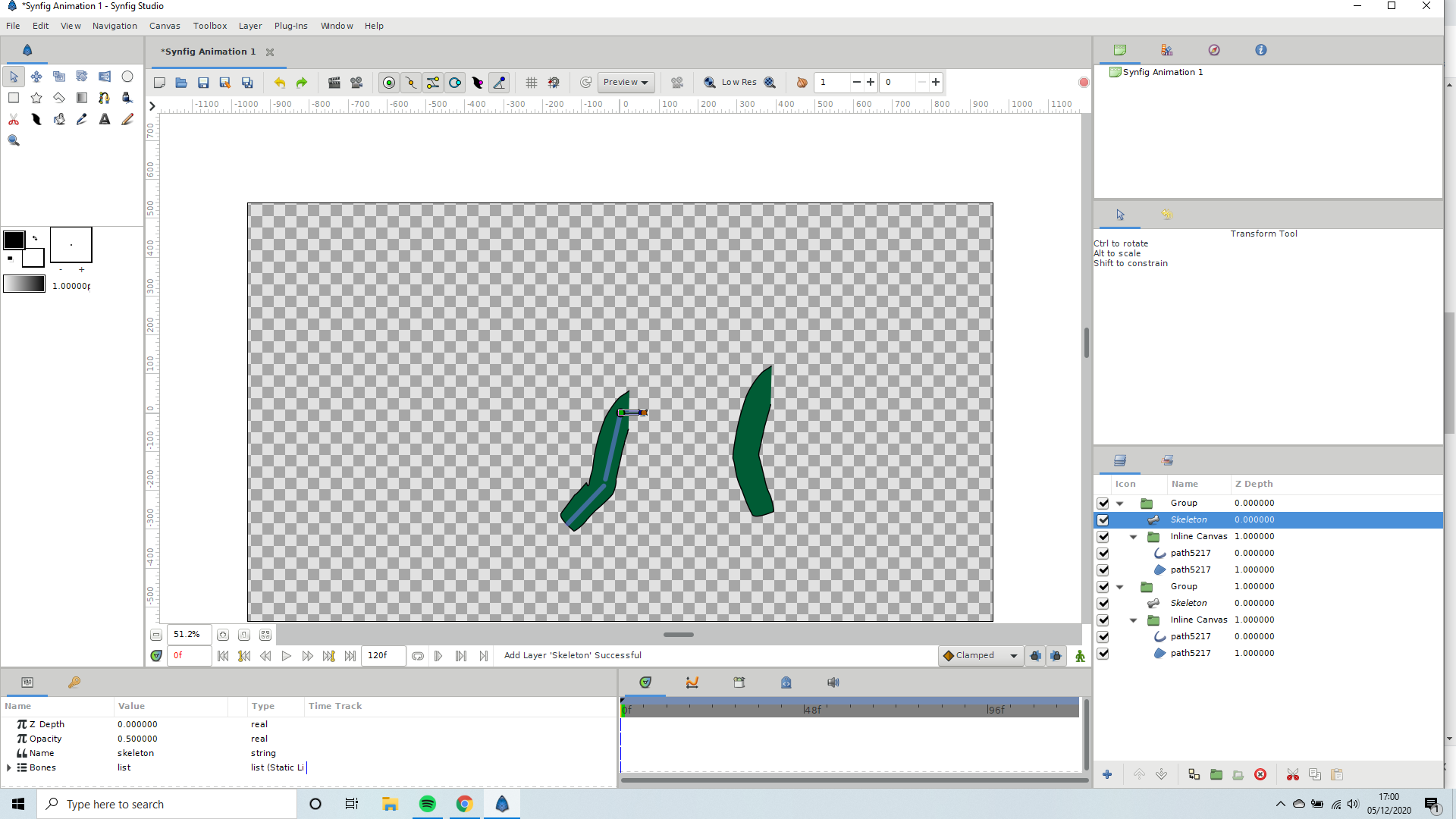 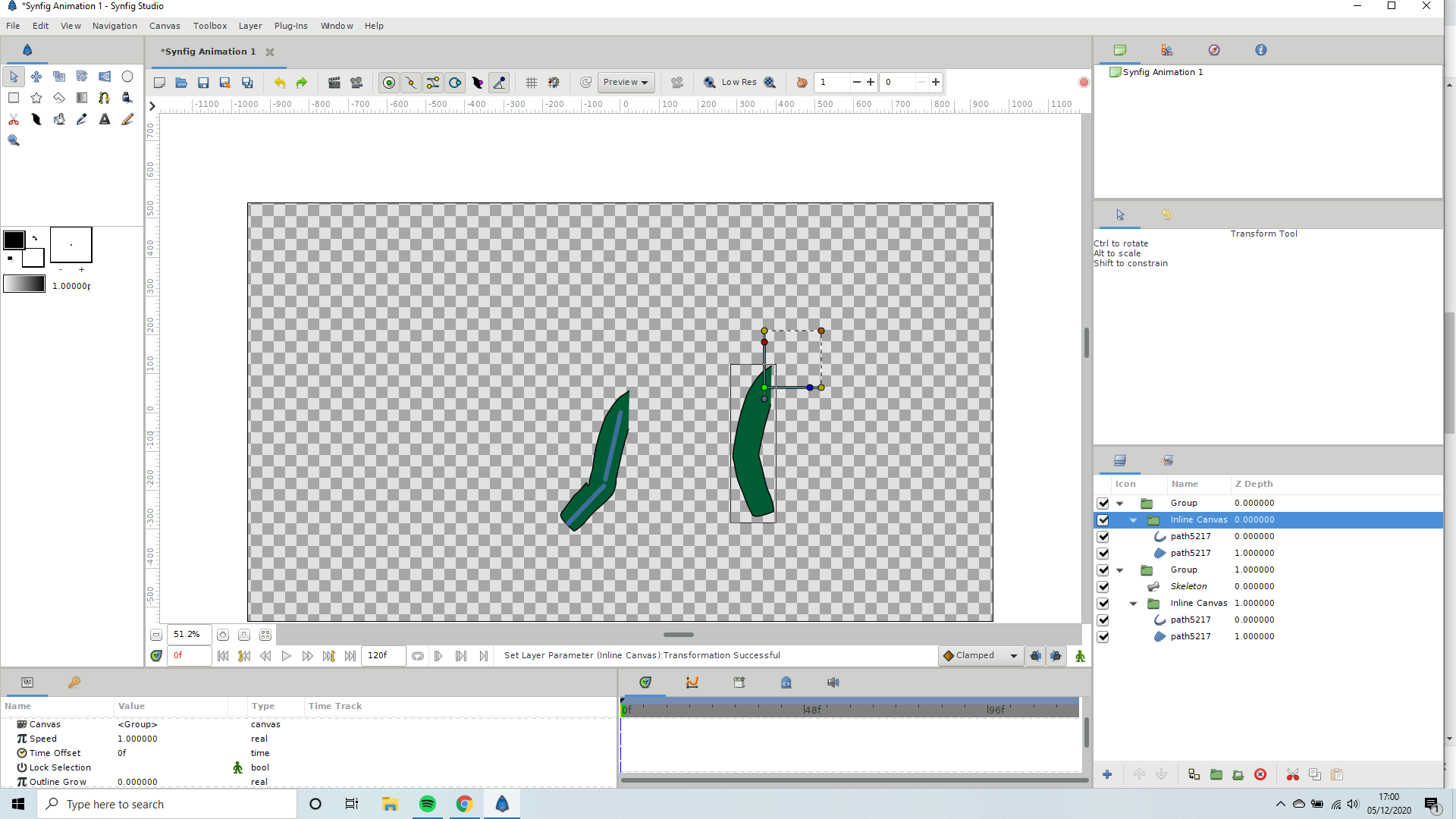
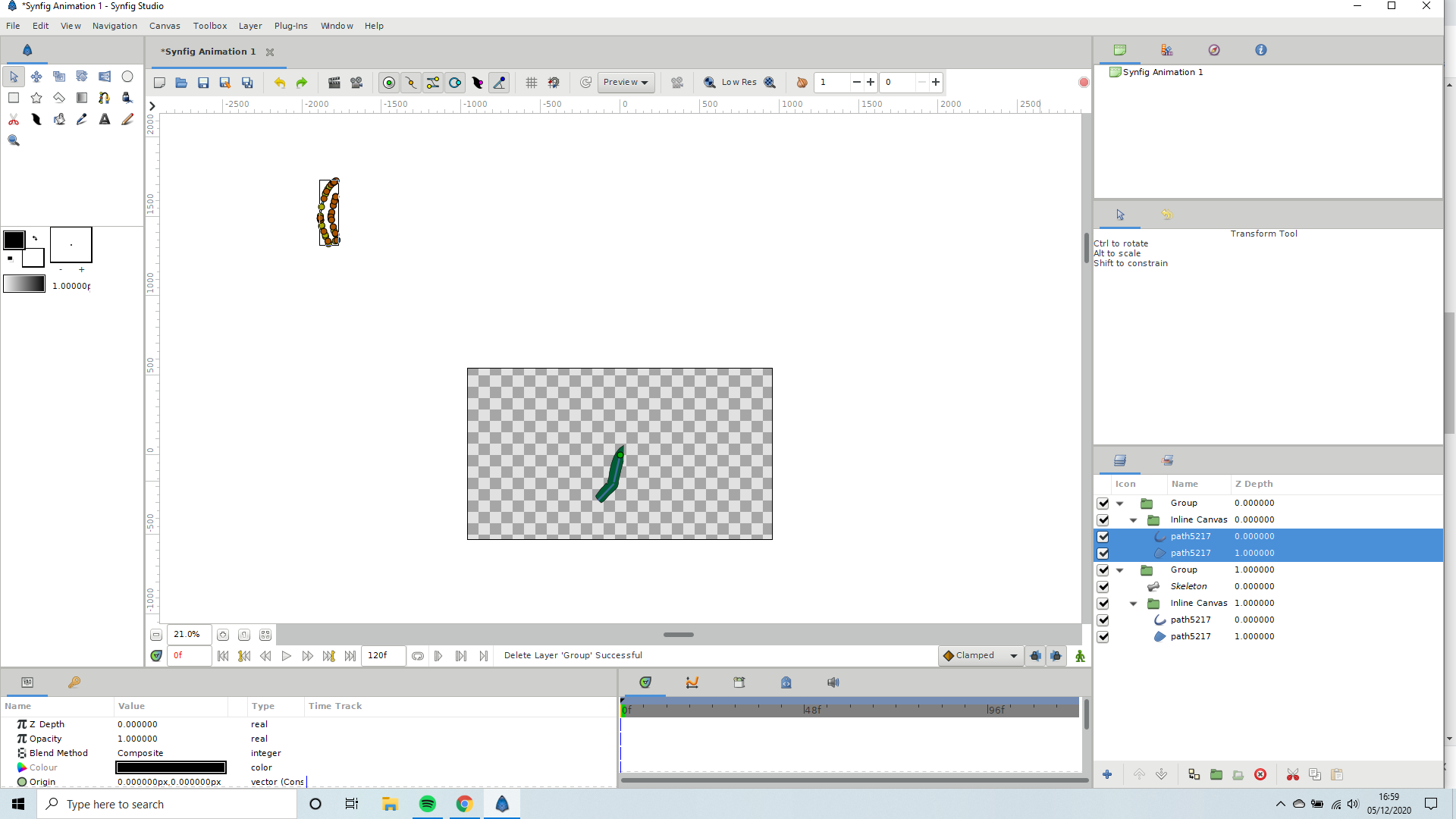
You can see i followed the exact way I did the last one and yet it went weird… Is it to do with the topology in the layer area.
ok when i imported the first and second one… they are no where near the actual page… i Highlighted the leg and brought it to the origin. yet still the first one was fine.
---
### Author:  [@Khemardi](https://forums.synfig.org/u/Khemardi)
#### Post date: [December 5, 2020, 5:42pm UTC](https://forums.synfig.org/t/brand-new-mel-here/11500/14 "2020-12-05T17:42:12Z")
ok, I see. But why do it this way? Why not have separate pieces for the upper arm and lower? Instead of using one main piece? Doing it the way you are doing it, can become difficult to manage. I would recommend putting each piece in a group and rig the group instead of the layer. The reason being that your construction points will get messed up if not managed properly. Which is what you are seeing when you import the second arm.
---
### Author:  [@MellyT](https://forums.synfig.org/u/MellyT)
#### Post date: [December 5, 2020, 5:54pm UTC](https://forums.synfig.org/t/brand-new-mel-here/11500/15 "2020-12-05T17:54:41Z")
Ok I will try and follow the basic bones tutorial on here and the one you created about bones and parenting… I have actually separated them but coz or its cartoon layout with the black round the edges… trying to make the crease in the elbow or knee looking good… Well it just looked weird to me… But this was before I saw those videos … I will give it a go tomorrow and let u know… Thankyou for your help… 🙂
---
### Author:  [@Khemardi](https://forums.synfig.org/u/Khemardi)
#### Post date: [December 5, 2020, 6:47pm UTC](https://forums.synfig.org/t/brand-new-mel-here/11500/16 "2020-12-05T18:47:38Z")
ok, no prob. 😃
---
### Author:  [@Khemardi](https://forums.synfig.org/u/Khemardi)
#### Post date: [December 7, 2020, 3:13pm UTC](https://forums.synfig.org/t/brand-new-mel-here/11500/17 "2020-12-07T15:13:02Z")
After our conversation I got an idea, so I made a tutorial. Maybe this could also inspire some ideas for your rigging purposes:
[ ](https://www.youtube.com/watch?v=pbO0mT1PEX0)